AI-assisted coding done right: from prompt to production
Discover how to leverage AI for coding effectively. Learn about disciplined loops, precise prompting, careful review, and integrating security measures to ship high-quality code safely with AI.
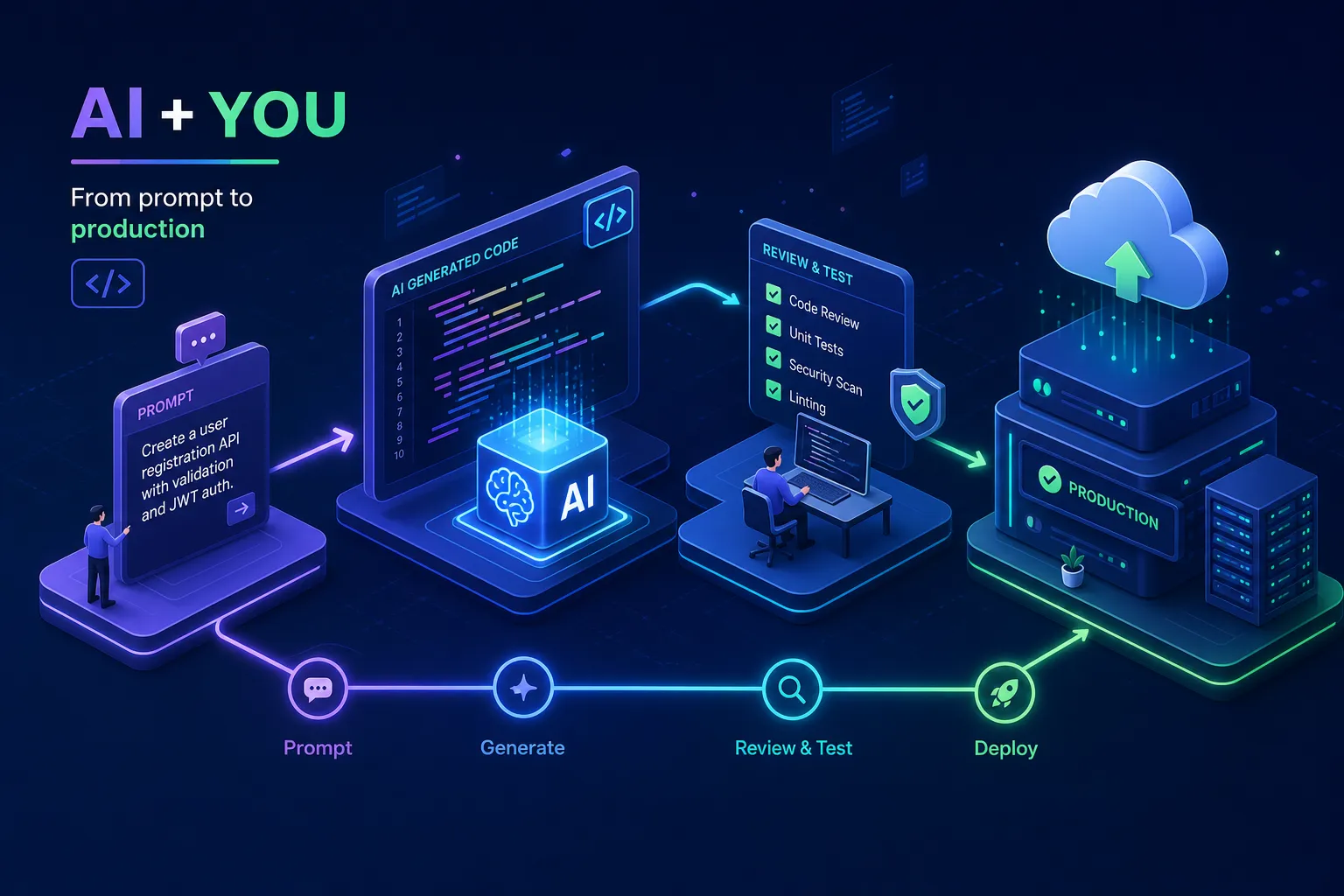
AI-assisted coding has become one of the most widely discussed shifts in software development, yet many developers using these tools are shipping bugs they don't fully understand, copying outputs they can't explain, and wondering why their projects feel fragile. Productivity gains are well documented: field studies of AI code assistants report task-completion improvements of 26, 42%. The discipline to review what gets generated, however, is far less common.
The real advantage of AI-assisted coding is not that it types faster than you do. It is a disciplined loop: describe clearly, generate quickly, review carefully, and iterate until the output earns its place in your codebase. Alvine Otieno, a freelance developer based in Kisumu, has built that loop into every project, including a WhatsApp bot that has processed over 50,000 events in live production. That is not a demo. That is production software built with AI code generation tools and human review at every step. Here is how that loop actually works.
What AI-assisted coding actually means in a real workflow
The most common misconception about working with an AI pair programmer is that the developer's job becomes copy-pasting. It does not. The actual process is: you describe a problem with precision, the AI generates a candidate solution, you read every line, challenge the logic, and decide what goes into the codebase. The AI accelerates implementation. The developer still owns the decision.
A real session looks like this: define the task precisely, provide context about your stack, the existing patterns in the project, and any constraints around error handling or async behaviour. Review the output line by line. Then prompt again to close the gaps. This loop is repeatable across project types, from webhook handlers to database queries to full API routes, which is exactly why it scales well for both solo developers and small teams.
The difference between a developer who ships fast using AI and one who gets stuck is almost always in the review step. The WhatsApp automation Alvine built, the one routing and responding to 50,000+ events, was assembled using this method. Every generated block was read before it touched a production environment. That is not an optional discipline; it is the thing separating a working product from a fragile one.
How to write prompts that produce usable code
Vague prompts produce vague code. A reliable structure has four parts: context, task, constraints, and format. Start by giving the AI your project context, your stack, the purpose of the module, any existing patterns it should match. From there, define a single clear task rather than bundling several requirements together. Explicit constraints matter too: error handling style, null handling, async patterns, and library versions all shape the output significantly. Finally, specify the format you want so you receive clean, parseable code rather than conversational text wrapped around it.
Providing two or three examples of how your codebase already handles similar problems dramatically reduces variance in what an AI code assistant produces. This few-shot approach conditions the model on your style guide and coding conventions. For complex logic, ask the AI to articulate the intended behaviour and edge cases before writing any implementation. This chain-of-thought prompting catches logic errors in the reasoning phase rather than in the output, which is far cheaper to fix.
One of the most underused patterns in AI-assisted development is writing tests before the implementation. Ask the AI for unit tests first, then ask it to write a function that satisfies those tests. In practice, this tends to produce implementations that are more correct and testable by design, a pattern consistent with TDD-style recommendations across the DevSecOps literature. It is especially useful for integrations: payment callbacks, webhook handlers, API authentication flows, and anywhere the failure mode has real consequences.
Prompt templates for AI-assisted coding
A reusable prompt template for a new function might look like this: "I am building a [Node.js / Python / etc.] application. The module handles [specific responsibility]. Existing error handling uses [pattern]. Write a function that [single task], returning [expected output format], with no external dependencies beyond [listed libraries]." That structure alone eliminates the majority of unusable outputs.
Reviewing AI-generated code before it reaches production
Research from a 2026 Veracode analysis found that 45% of AI-generated code contains security vulnerabilities, including OWASP Top 10 flaws. Cross-site scripting vulnerabilities appear in AI-generated code 86% of the time. Log injection vulnerabilities appear 88% of the time. Audit data consistently shows these rates are significantly higher when review is skipped, a careful line-by-line read catches most of them before they reach production.
In every generated block, check for hardcoded API keys and secrets, missing input validation, SQL injection risks from raw string concatenation, improper error handling, and deprecated library methods. An AI code assistant does not know your business rules. It does not know that a payment confirmation must trigger a specific downstream event, or that a null field means a user is unverified. Those contextual checks matter most in production, they require a human who understands the system, not just the syntax.
For teams shipping regularly, manual review alone is not enough. Integrating SAST and SCA scanning tools into a CI/CD pipeline catches what human review misses. Run these tools on every pull request, not just at release. Configure merge blocks on critical and high-severity findings, and treat AI-generated code the same way you would treat code from an unknown contributor: trust it provisionally, verify it before it merges.
AI-assisted coding review checklist for production
Before any AI-generated block merges, confirm: no hardcoded secrets or credentials; input validation present on all external data; no raw string concatenation in database queries; error handling matches your project's existing pattern; no deprecated methods from your dependency versions; and business-logic edge cases accounted for explicitly. This checklist takes under five minutes per block and eliminates the majority of production incidents that trace back to unreviewed generative AI for coding output.
The AI coding tools worth using in 2026
The tools worth your attention in 2026 serve different purposes, and understanding those differences saves you from paying for the wrong one.
Cursor is the AI-first IDE, a VS Code fork where AI is woven into every interaction, including a Composer feature that can modify 12 or more files simultaneously based on a plain-English prompt. It is best suited for complex, multi-file, agentic work where you want the AI to reason across the whole project. Cursor Pro is priced at $20 per month (or $16 per month on annual billing).
GitHub Copilot is the practical default for developers already working in VS Code or JetBrains. It is mature, well-integrated, and its Agent Mode handles multi-step tasks within the editor without requiring a workflow change. Individual pricing is $10 per month; teams pay $19 per month per seat.
Claude Code is the terminal-native option, powered by a 1M token context window that maps entire repositories without you manually specifying which files to include. It is the right choice when navigating a large or unfamiliar codebase and you need AI-driven code completion with full project context. The Pro tier is $20 per month, with a Max tier at $200 per month for full-time AI-native development.
For most solo developers and small teams, a reasonable starting point, in our view, is Cursor for active development and GitHub Copilot for inline completion within your existing editor. Bring in Claude Code when you are working through a large, unfamiliar codebase and need the AI to understand the full picture. None of these tools replace judgment. They extend it.
Pitfalls that quietly hurt your code quality and skills
An Anthropic randomised controlled trial involving 52 junior engineers learning a new Python library found that AI assistance led to mastery scores averaging 50%, compared to 67% for the group that hand-coded. That is a 17-percentage-point gap, nearly two letter grades, and the largest performance deficit appeared in debugging questions specifically. The developers who scored 65% or higher were using AI for explanations and conceptual questions, not for code generation. Those who delegated generation entirely scored below 40%.
The practical implication is direct: use AI to accelerate your thinking, not to replace it. If you cannot explain what a generated function does, do not ship it. Ask the AI to explain its own output when you are uncertain. Reading every line, even when it feels slow, is the habit that keeps you in control of your codebase and your career.
Security and IP risks deserve equal attention. AI models can reproduce patterns from their training data that carry licensing implications or known vulnerabilities. Hardcoded secrets are a common AI suggestion, particularly when you mention credentials in your prompt. One documented case, cited in a forensic codebase scan, found over 2,000 vulnerabilities and 400+ exposed secrets in a single application that had been built using rapid, unreviewed AI coding. Build the habit of treating every AI output as untrusted until your review confirms otherwise. That one habit eliminates most of the risk.
Shipping production-ready software with the AI-assisted approach
A working prototype and production software are not the same thing. Production-ready means proper error handling, input validation on every external input, environment variables for secrets rather than hardcoded values, structured logging, and test coverage that gives you confidence before deployment. AI can help generate all of these, but only if you prompt for them explicitly and verify they are present before you ship.
Alvine's AI-assisted development workflow, covering WhatsApp bots, n8n automations, and full-stack web platforms built with React and Next.js, consistently produces software that handles real load because the review discipline is built into every step of the process. If you are building something and want that same rigour applied to your project, that is the kind of engagement Alvine takes on. You can get in touch at alvineotieno.com.
AI-assisted coding works long-term when you stay in the driver's seat. Use AI to move faster through implementation. Use your own judgment to move carefully through review. That combination of speed on generation and discipline on review is what turns AI code generation tools into a genuine competitive advantage rather than a liability waiting to surface in production.
Software engineer writing about the craft of building products on the web.