How to Automate WhatsApp Support in Kenya (Step-by-Step)
Learn how Kenyan businesses can automate WhatsApp support using the WhatsApp Business Platform, n8n, and OpenAI. This guide covers everything from choosing the right platform to building bots, handling escalations, and ensuring compliance,
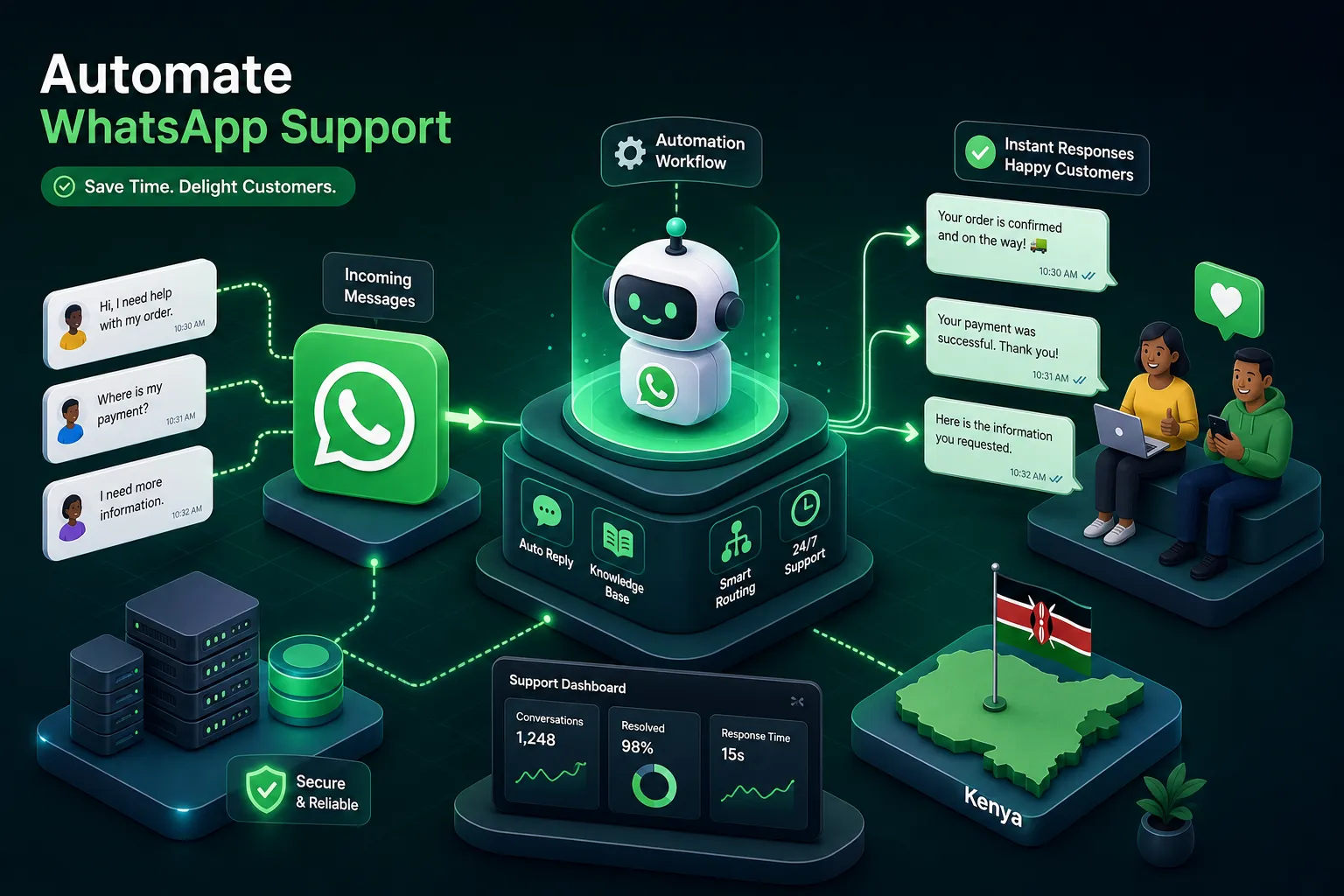
Picture this: it is 7:45 a.m., and a Kenyan business owner is already on WhatsApp, copy-pasting the same delivery update she sent yesterday, and the day before that. By 10 a.m., she has fielded fourteen variations of "what time do you close?" before her first cup of tea. The same phone she uses to coordinate suppliers has become her customer service desk, her FAQ board, and her complaints hotline, all at once.
This is not a small-business problem. It is the standard experience for most businesses in Kenya that rely on WhatsApp as their primary customer channel. The good news is that you can automate WhatsApp support without a large IT department or an enterprise budget. This guide shows you exactly how to do it: from choosing the right WhatsApp platform, to designing the workflow, building the bot with n8n and OpenAI, handling human escalations, connecting your CRM and payment systems, and staying compliant with Kenya's data protection rules.
WhatsApp Business App vs the API: which one actually supports automation
The biggest source of confusion before any automation work begins is this: many business owners download the free WhatsApp Business App and assume it can be connected to external systems. It cannot. The App offers quick replies, away messages, basic labels, and broadcasts capped at 256 contacts who must have your number saved. These are manual conveniences. The App has no official API or webhook support for server-side automation or CRM integration, there is no way to connect it to n8n, OpenAI, or any third-party system through supported means. Unofficial workarounds exist, but they carry significant reliability and policy risks that Meta can act on without notice. The App works for a shop handling twenty chats a week. It breaks down fast beyond that.
The WhatsApp Business Platform (formerly called the API) is an entirely different product. It supports webhooks, message templates, chatbot logic, CRM integrations, multi-agent inboxes, and unlimited opted-in broadcast contacts. Businesses with M-Pesa Paybill or Till numbers can trigger automated payment confirmation messages directly from the Safaricom Daraja API. The green tick verification badge is also only available through this route. If you are handling more than fifty conversations a day, or running any kind of advertising that drives WhatsApp conversations, the Platform is what you need.
On pricing, expect a two-layer cost. Meta charges per delivered template message for business-initiated messages: Marketing messages run at approximately KES 3.53 per message, while Utility and Authentication messages come in at around KES 1.12 each. Service replies, where the customer messages you first, are free within the 24-hour window, and the first 1,000 service conversations per month from Meta cost nothing. On top of that, Business Solution Providers (BSPs) charge a platform fee. HelloDuty, for example, starts at KES 9,500 per month for SMBs. Frame this as infrastructure cost, the same way you would treat internet or a business phone line.
The anatomy of a well-built automated WhatsApp support workflow
Before writing a single n8n node, you need to map the workflow. Every well-built automated WhatsApp support system shares five essential stages, and skipping any one of them creates gaps that frustrate customers.
The first stage is the welcome message. The moment a new contact messages your WhatsApp number, an automated greeting fires. It confirms receipt, states your support hours, and presents a numbered menu: "Reply 1 for order status, 2 for pricing, 3 to speak with an agent." That single interaction handles the triage that would otherwise consume thirty minutes of an agent's morning. Out-of-hours logic routes to a different message variant that sets clear expectations on when a human will respond, rather than leaving the customer in silence.
The second stage is the FAQ bot, which sits at Tier 1 and resolves routine queries: business hours, product pricing, return policies, order lookups, and booking confirmations. A well-configured FAQ bot handles between 60 and 70 per cent of incoming queries before any human gets involved. The third stage is smart routing. When the bot identifies a query it cannot resolve, it routes the conversation to the correct tier, a generalist agent, a specialist, or an escalation manager. Complex complaints and billing disputes follow a different path from a simple order status check. The fourth and fifth stages, human handover and follow-up automation, are covered in detail below.
How to automate WhatsApp support with n8n and OpenAI
Step 1: Connect the Meta WhatsApp Cloud API to n8n
The three tools that power this setup are the Meta WhatsApp Cloud API (the channel), n8n (the automation engine), and OpenAI (the intelligence layer). n8n receives incoming WhatsApp messages via a webhook from the Meta Cloud API. Each message triggers a workflow that reads the content, checks the sender's context, and routes it through logic nodes. The basic node structure is: Webhook → Read Message → Check Intent → Route. n8n is self-hostable, which can reduce ongoing per-message BSP fees, though you should budget for VPS hosting, backups, and maintenance costs, typically in the range of KES 1,500 to KES 5,000 per month depending on your provider. n8n also has native nodes for WhatsApp Business Cloud that remove most of the manual webhook configuration.
Step 2: Add an OpenAI node for natural language understanding
A keyword-only bot breaks the moment a customer types "do you guys deliver to Kisumu?" instead of pressing "1." Connecting an OpenAI node in n8n solves this. You feed the model a system prompt defining your business, a structured FAQ list, and an instruction to escalate anything outside its defined scope. The result is a bot that interprets real human phrasing, not just numbered menu selections, and that distinction is the difference between a bot that frustrates customers and one they actually find useful.
Step 3: Build and submit your WhatsApp message templates
Message templates are required for any outbound message sent outside the 24-hour customer service window. Under the 2026 approval rules, Utility and transactional templates must be under 550 characters, purely informational with no promotional language, and submitted with realistic sample variable values. Most Utility templates pass Meta's automated review within 5 to 15 minutes. The most common rejection reason is category misclassification: a developer marks a shipping update as Marketing instead of Utility, and the template is rejected immediately. Get the category right first, and most templates sail through.
Automate WhatsApp support: escalation flows and human handover
Automation without a solid escalation plan is a liability. A bot that traps a frustrated customer in a loop, asking the same clarifying question three times, is worse than having no bot at all. The escalation design is where most WhatsApp automation projects either succeed or fall apart.
Escalation should trigger on clear, explicit signals defined in your n8n workflow: the customer types "agent," "human," or "complaint"; the bot fails to match an intent twice in a row; or the query contains keywords associated with fraud, legal matters, or high-value disputes. These triggers must be hard-coded in the workflow logic, not left to chance or a human noticing that a conversation has stalled.
When it comes to the handover itself, you have two options. A warm handoff pulls a live agent into the same WhatsApp thread with the full conversation visible before they type a single word. A cold handoff creates a ticket in your helpdesk, sends the customer a reference number, and assigns the conversation to an agent queue. For Kenyan businesses using Freshdesk or Zendesk, the cold handoff via n8n is generally easier to implement. In either case, the rule is non-negotiable: the agent receives the full conversation history and the bot's classification of the issue before they respond. An agent walking into a conversation blind destroys any goodwill the automation created.
A follow-up automation completes the loop. If a customer goes silent mid-conversation, an automated message fires after 24 or 48 hours using a pre-approved Utility template to reopen the messaging window and re-engage the customer.
Connecting WhatsApp to your CRM, helpdesk, and M-Pesa systems
A WhatsApp bot that runs in isolation gives you a faster first response, but it does not change how your business operates. The real value of automated WhatsApp support comes from connecting the bot to the systems you already run on.
Not all major platforms offer plug-and-play WhatsApp connectors. Zendesk and Freshdesk currently require intermediary tooling for full WhatsApp helpdesk integration, while HubSpot now offers a native WhatsApp integration for certain plans, though n8n still provides greater flexibility for custom workflows. An n8n workflow can push conversation data to Zendesk via its REST API, create Freshdesk tickets from escalated chats, or update a HubSpot contact record when a customer interacts with your bot. For businesses using local Kenyan CRMs without a native WhatsApp connector, n8n's HTTP Request node sends data to any system that exposes a REST API, so the workflow is not limited to globally known platforms.
For Kenyan businesses, the M-Pesa integration is one of the most practical automations available. When a customer completes a payment via M-Pesa Paybill or Till, a Daraja API callback triggers an n8n workflow that immediately sends a payment confirmation to the customer's WhatsApp number. No manual reconciliation, no delayed receipts, no staff member cross-checking a statement. The same logic applies to order status updates, appointment reminders, and delivery notifications tied to backend system events.
To measure whether this is working, track four numbers: first-response time before and after automation, bot resolution rate (the percentage of queries closed without human involvement), conversation-to-conversion rate for sales-oriented bots, and agent handling time per escalated case. A bot resolution rate above 60 per cent is a realistic and healthy benchmark for a well-configured system. These metrics justify the platform cost and reveal which parts of the workflow need tuning.
Kenya's data protection and consent rules for automated WhatsApp messaging
Automating WhatsApp support means storing customer names, phone numbers, conversation content, and sometimes payment references. Kenya's Data Protection Act 2019 and the Data Protection (General) Regulations 2021 have clear requirements for this type of data processing. Non-compliance carries both financial penalties, up to KES 5 million or imprisonment of up to ten years under various provisions, and criminal liability. Refer to the ODPC's published guidance for the specific enforcement mechanisms that apply to your sector.
Any business automating WhatsApp conversations is a data controller under the Act. Storing and processing conversation data requires a lawful basis. For marketing messages, that basis is explicit consent. For transactional updates such as order confirmations, contractual necessity applies. Automated decision-making that materially affects a customer, such as denying service based on a bot classification, is restricted. Customers have the right to contest decisions made purely by automated systems, and your workflow must accommodate that.
Consent must be explicit, specific to purpose, and documented with a timestamp and source. A customer opting in for order updates has not consented to promotional broadcasts; those require separate, fresh consent. For marketing template messages, Meta requires an opt-out path, and opted-out contacts must be automatically suppressed in your n8n workflow. Utility and transactional templates are generally exempt from this opt-out requirement under Meta's 2026 template rules, but you should still distinguish clearly between message categories in your consent documentation and workflow design. Pre-ticked boxes and verbal agreements do not meet the statutory standard. The burden of proving valid consent sits entirely with the business, not the customer.
If your business processes personal data systematically, which any automated WhatsApp support system does, you are likely required to register with the Office of the Data Protection Commissioner (ODPC). Businesses with ten or more employees or an annual turnover of KES 5 million or more must register. Even below those thresholds, if your system processes sensitive data or operates in a regulated sector, registration is compulsory regardless of size. You must also sign Data Processing Agreements with your BSP and any third-party processors handling Kenyan customer data. In the event of a data breach, you have 72 hours to report to the ODPC.
Building this properly is a project, not a toggle
To automate WhatsApp support effectively, you need to work through each layer in sequence. Start by choosing the right platform, the API, not just the App. Map a workflow that covers a welcome message, FAQ bot, smart routing, escalation triggers, and follow-up logic. Then connect that workflow to your CRM, helpdesk, and payment systems, and ensure everything operates within Kenya's data protection framework. None of those steps can be skipped without creating problems downstream.
The toolstack, n8n, OpenAI, and the Meta WhatsApp Cloud API, makes this achievable without an enterprise budget. The architecture is the hard part: deciding where the bot stops, where a human takes over, and what data you store and why. Getting those decisions right before writing a single line of workflow logic is what separates a production-ready automated WhatsApp support system from one that breaks under real customer traffic.
If you would rather not build this yourself, Alvine Otieno designs and deploys production-ready WhatsApp support systems for businesses operating at exactly this level of complexity, with real M-Pesa integrations, escalation flows, and CRM connections built for businesses in Kenya and beyond. Reach out to discuss what an automated WhatsApp support workflow would look like for your specific operation.
Software engineer writing about the craft of building products on the web.