How to Build a WhatsApp Bot for Your Kenyan Business
Learn how to build a WhatsApp bot for your Kenyan business. This guide covers choosing the right approach (WhatsApp Business App, no-code builders, or Meta Cloud API), setting up Meta, building bot logic, and integrating M-Pesa payments.
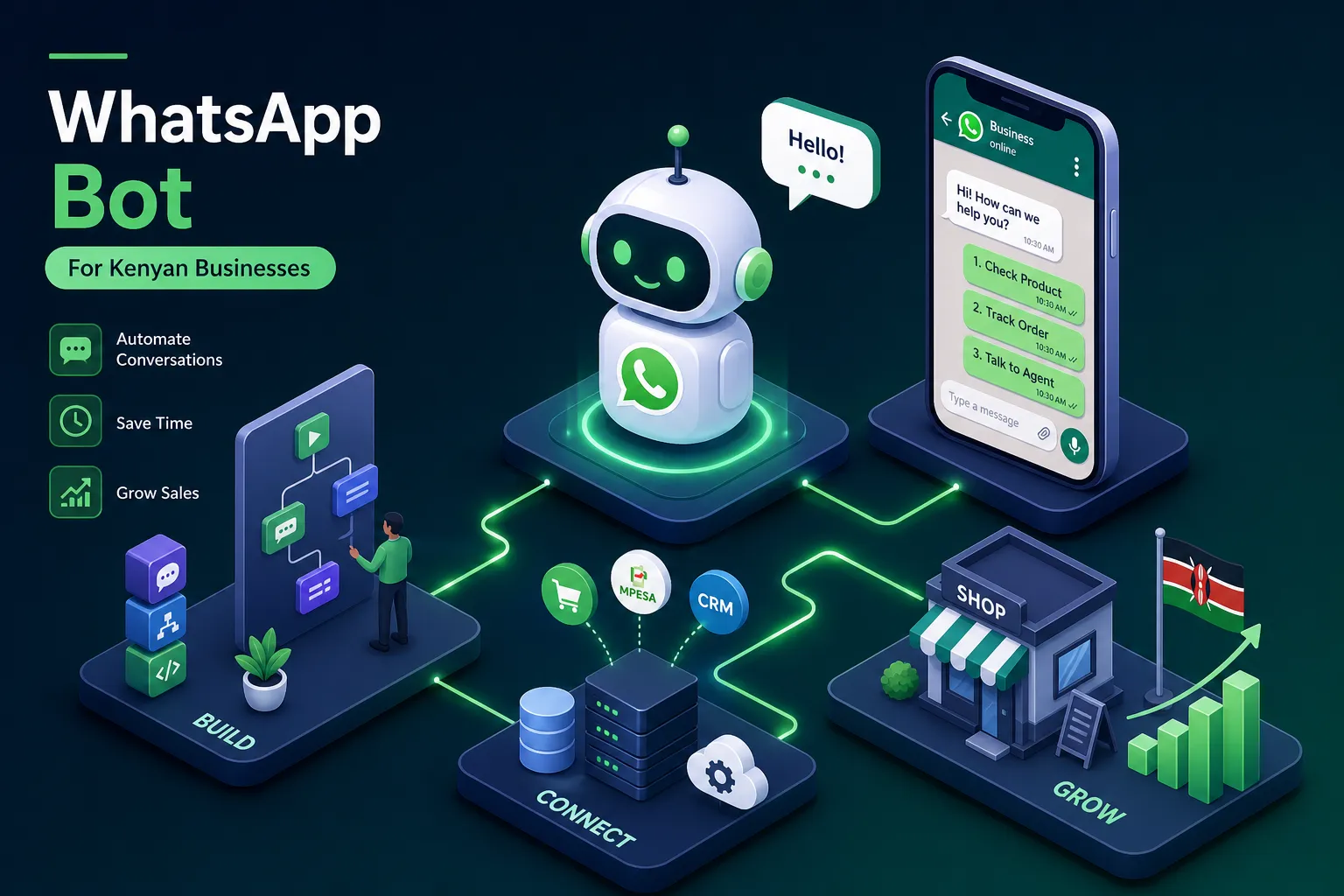
Picture this: you wake up at 7 a.m., unlock your phone, and find 80 unread WhatsApp messages. Orders, delivery questions, payment confirmations, complaints, and a handful of people asking for your price list at 2 in the morning. Every one of those messages represents a customer who made a decision to reach out, and every hour they wait for a reply is an hour your competitor has to step in. Slow responses often reduce conversion and can cost you real sales.
So how do you build a WhatsApp bot for your business in Kenya? A WhatsApp bot changes the equation entirely. It replies instantly, collects orders, handles FAQs, triggers M-Pesa payments, and does all of this without you having to touch your phone. The process of building a WhatsApp bot for a Kenyan business is more achievable than most people assume. Alvine Otieno, a Kisumu-based developer who has built and deployed WhatsApp AI bots in live production environments, has already solved this problem for real businesses. This guide walks you through exactly how it works: choosing your approach, setting up Meta's Cloud API, building the bot logic, connecting M-Pesa, and understanding what it realistically costs.
Choose the right build approach for your business size
Before you open any developer portal, you need to pick the right starting point. The wrong choice costs you time and money, so match the tool to where your business actually is right now.
The WhatsApp Business App: good for micro-businesses only
The free WhatsApp Business App works perfectly for a solo operator or a two-person team handling fewer than 50 conversations a day. You get quick replies, labels, and a business profile, which is enough for very light customer interaction. The limitations are real: the app supports one primary account with a limited number of linked devices, but there is no real automation, no payment integration, and no AI. If you are reading this guide because you want a WhatsApp chatbot for your Kenyan business, you have already outgrown this app.
No-code WhatsApp bot builders: fastest route for non-technical teams
Business Solution Providers (BSPs) such as Chach-a and Celcom Africa offer no-code WhatsApp bot builders on top of the WhatsApp Business API, with shared inboxes, chatbot templates, and billing in KES. Chach-a's Starter plan begins at KES 2,499 per month (up to 1,000 messages); Celcom Africa's Basic plan starts at KES 15,000 per month. These platforms get you live quickly, but you trade flexibility for speed: customising the bot logic beyond their templates requires workarounds, and you pay a platform fee on top of Meta's per-message charges.
Meta WhatsApp Cloud API: the right foundation for AI and payments
The Cloud API is Meta's modern, server-free interface and the most direct path to full OpenAI integration and M-Pesa payment flows without routing everything through a BSP. While the legacy WhatsApp Business API can also connect to OpenAI and Daraja, it typically requires self-hosting or a BSP intermediary, adding complexity and cost. The Cloud API removes that layer: onboarding takes a few hours through the Meta developer portal, the infrastructure is hosted by Meta, and you pay only Meta's per-message charges. As of 2026, marketing messages run approximately KES 5.20 each, while service messages within the 24-hour customer-initiated window are free (check Meta's official pricing page for the latest rates, as the billing model was updated in 2025). Everything that follows in this guide uses the Cloud API path.
How do I build a WhatsApp bot for my business in Kenya: setting up your Meta account
Registration is straightforward when you have the right documents ready. Gather everything before you open a browser so the process does not stall halfway through.
Documents and prerequisites to gather first
You will need your Certificate of Incorporation or BRS certificate from the Business Registration Service, your KRA PIN Certificate, a business website or active Facebook Page with a name that matches your registered business name, a domain email address (for example, name@yourbusiness.co.ke), and a dedicated phone number that is not currently active on any WhatsApp account. If your number is already registered on the personal app or WhatsApp Business App, you must delete that account first before it can be added to the API.
Registering your business with Meta and creating your WABA
Go to business.facebook.com and create a Business Manager account. Navigate to Security Centre, then Business Verification, and upload your BRS certificate and KRA PIN Certificate. Once Meta approves the verification, create your WhatsApp Business Account (WABA) inside Business Manager and set your Display Name. Meta rejects Display Names that do not closely match the registered business name, so use the exact trading name shown on your BRS certificate.
Adding and verifying your Kenyan phone number
Use the Embedded Signup flow inside your WABA: select "Add phone number," enter the number in E.164 format (254 followed by the number without the leading zero, for example 254712345678), and complete OTP verification via SMS or voice call. After verification, set up two-step verification on the account. New accounts begin with a default conversation limit that scales upward as your account quality score improves over time; refer to Meta's current messaging limits page for the precise tier thresholds, as these were updated in 2025.
Building the bot logic: webhooks, n8n, and OpenAI
The mechanism behind a WhatsApp bot is simple in concept: Meta sends a message event to your server, your server processes it, and sends a reply back through the API. Here is how to build that flow without writing a full backend from scratch.
Setting up your webhook to receive WhatsApp messages
A webhook is simply a URL that Meta calls every time someone sends your business number a message. You create this URL in your hosting environment, register it in the Meta Developer portal under WhatsApp Configuration, and provide a verify token so Meta can confirm the endpoint belongs to you. During setup, Meta sends a GET request with a hub.challenge value; your endpoint must return that exact value with a 200 status code or verification fails. Once verified, subscribe to the "messages" field, and always validate the X-Hub-Signature header on every incoming POST to confirm requests genuinely originate from Meta.
n8n is a particularly good fit for Kenyan developers building a WhatsApp bot for their business: it offers a visual workflow builder without requiring full backend code, it can be self-hosted on a low-cost local VPS to keep running costs manageable, and it has an active community. You can deploy n8n on a VPS or use n8n Cloud, set up a Webhook node with your URL, and handle the entire message-processing flow visually. Return a 200 response within five seconds of receiving any message event; if your AI processing takes longer, acknowledge receipt immediately and handle the reply asynchronously.
Connecting OpenAI to generate intelligent replies
The flow inside n8n looks like this: the incoming message triggers the Webhook node, an Edit Fields node extracts the message body and the sender's phone number from the JSON payload, an HTTP Request node sends that message text to the OpenAI API with a system prompt defining the bot's role, and a final HTTP Request node posts the response back through the WhatsApp Cloud API's messages endpoint to the customer's number.
System prompt design matters significantly here. The prompt should include your business name, a concise product catalogue summary, and explicit instructions for handling Swahili inputs, since many Kenyan customers switch between Swahili and English mid-conversation. The reply is sent as a WhatsApp text message object with the structure: messaging_product: "whatsapp", to: [phone number], type: "text", text.body: [reply content].
Connecting M-Pesa payments to your WhatsApp bot for your business in Kenya
When a customer can complete a purchase without leaving WhatsApp, your conversion rate improves. This integration is what takes the bot from a conversation tool to a revenue-generating asset.
Registering for Daraja API credentials and choosing your payment type
Go to developer.safaricom.co.ke, create an account, register an app, and obtain your Consumer Key and Consumer Secret. Choose between a Lipa na M-Pesa Till Number (best for retail transactions) and a Paybill Shortcode (better for services with reference numbers). Test everything in Safaricom's sandbox environment before touching production credentials; the sandbox behaves differently from production in a few important ways, and discovering those differences in testing is far less costly than discovering them during an actual launch.
Triggering the STK Push from a WhatsApp conversation
When a customer confirms an order in chat, the bot sends a POST request to the Daraja STK Push endpoint (/mpesa/stkpush/v1/processrequest) with the customer's phone number, the amount, and your Callback URL. The customer immediately receives a PIN prompt directly on their phone from Safaricom. Once they approve the payment, Safaricom calls your Callback URL with the transaction result.
Your Callback URL must respond with a 200 status code and the JSON acknowledgement {"ResultCode": 0, "ResultDesc": "Accepted"} within five seconds. If you miss that window, Safaricom retries aggressively, which can cause duplicate processing. Use the CheckoutRequestID field to deduplicate callbacks. On a successful result code of 0, the bot sends a receipt with the M-Pesa transaction number; on failure (for example, result code 1032 meaning the customer cancelled), the bot offers a retry link or a customer support contact. The customer's PIN is never visible to your bot or your code; Safaricom handles the PIN prompt entirely on their side.
Realistic costs and timelines for a Kenyan WhatsApp bot
These figures are drawn from actual Kenyan projects, not global benchmarks. Use them as a planning baseline, not a fixed quote.
FAQ bot vs AI bot: what you will actually spend
A simple rule-based FAQ bot costs around KES 390,000 and takes two to four weeks to build. It handles structured questions with decision trees but cannot manage open-ended conversations or process payments. A production-ready AI bot with WhatsApp Cloud API, OpenAI, Swahili and English NLP support, and M-Pesa STK Push integration costs approximately KES 1.04 million to KES 2.6 million and takes four to eight weeks to build and deploy. The cost difference is driven primarily by Swahili language handling, M-Pesa integration complexity, and ongoing API costs, specifically Meta's per-message charges plus OpenAI token fees.
Kenya Data Protection Act compliance: what it means for your bot
Any bot that collects customer names, phone numbers, or payment details falls under Kenya's Data Protection Act 2019. The practical requirements are:
- Register with the Office of the Data Protection Commissioner if your processing volume meets the required threshold.
- Obtain explicit informed consent before collecting any personal data.
- Display a clear privacy notice explaining what you collect and why.
- Maintain a documented process for customers to request deletion of their data.
- If your bot uses automated profiling (for example, segmenting customers by purchase behaviour), complete a Data Protection Impact Assessment before deployment.
Treat compliance as a business risk issue rather than a legal formality. An ODPC investigation during a busy sales period is a far more expensive problem than building compliance in from the start.
When to hire a specialist instead of building it yourself
The steps in this guide are achievable for a technically capable founder, but production deployment is harder than following a tutorial. Real reliability requires webhook error handling, OAuth token refresh logic, message deduplication, Safaricom sandbox quirks, and Meta template approval delays, all before a single customer interaction. A bot that goes down during a product launch or fails to reconcile M-Pesa transactions does more damage to your business reputation than having no bot at all.
Alvine Otieno is a Kisumu-based software developer and tech consultant who builds and deploys WhatsApp AI bots for Kenyan businesses. His approach combines AI-assisted development with thorough human review on every line of code, which means faster delivery without cutting corners on reliability. He builds Cloud API bots, n8n automation flows, OpenAI integrations, and M-Pesa Daraja connections, and brings business strategy thinking to every project so the technical decisions align with your actual commercial goals. For Kenyan businesses that want the outcome without the trial and error, working with a specialist who has already navigated this process is the faster, lower-risk path.
Start building your WhatsApp bot for your business in Kenya
You now have a clear picture of every stage. Choose between the WhatsApp Business App, a no-code WhatsApp bot builder, or the Cloud API based on your team size and automation needs. Register your business on Meta with the correct Kenyan documents. Build your webhook and OpenAI logic in n8n. Connect M-Pesa through the Daraja STK Push. Deploy with Data Protection Act compliance built in from day one.
Building a WhatsApp bot for your business in Kenya is a real, achievable project with clear steps and known costs. If you are ready to move faster and skip the trial-and-error phase, reach out to Alvine Otieno at alvineotieno.com to get a production-ready bot built and deployed on your behalf.
Software engineer writing about the craft of building products on the web.