How to Use AI to Build Your Business Idea Without Code
Discover how non-technical founders can leverage AI tools like ChatGPT to build and launch business ideas without writing a single line of code. Learn prompt engineering and iteration strategies for success.
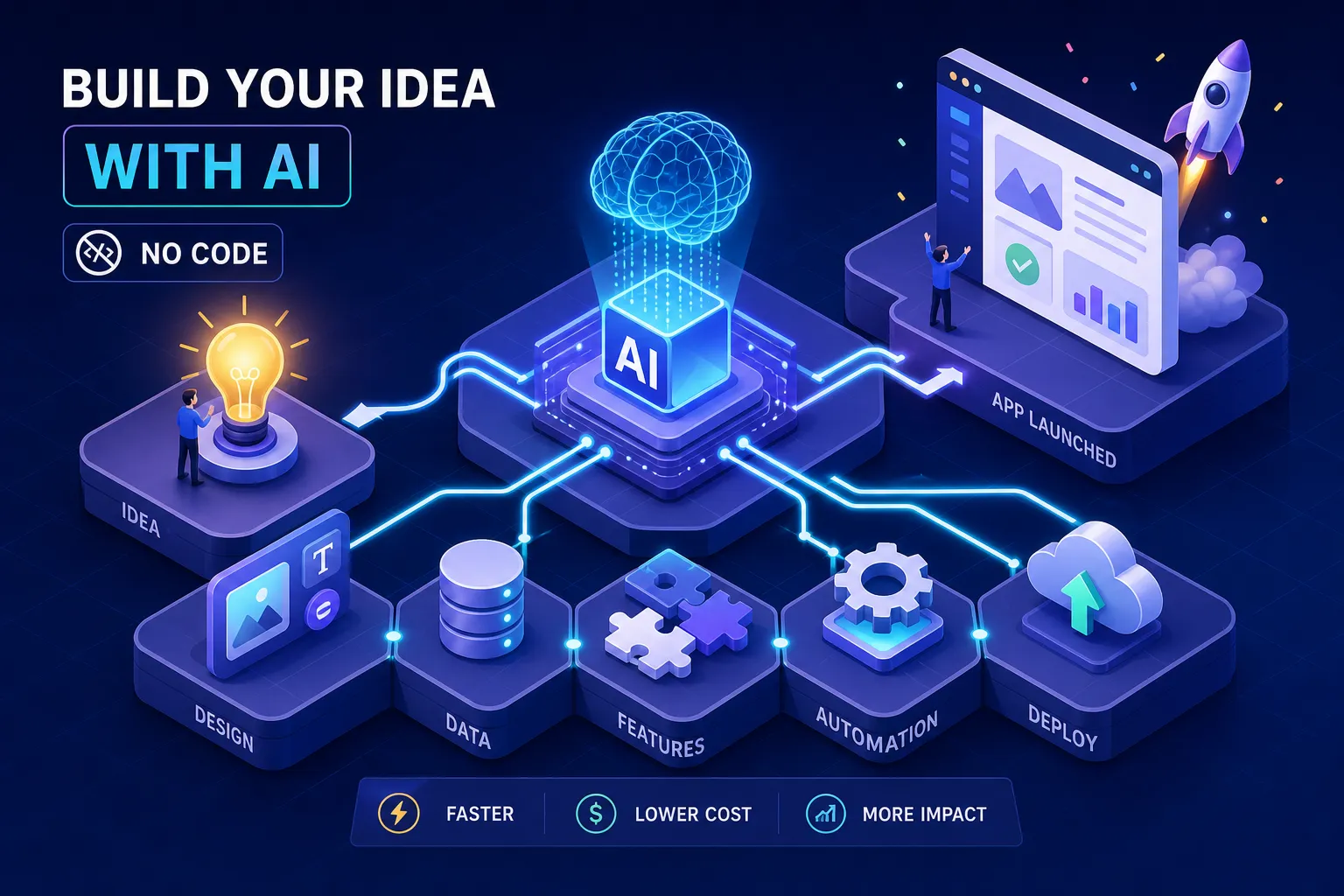
If you have ever asked yourself, "how do I use AI to write code for my business idea without being a developer?", you are asking the right question at the right time. You have a business idea. You can describe exactly what it should do, who it is for, and what problem it solves. What you do not have is a coding background, and hiring a developer feels expensive, slow, and risky when you are not even sure the idea will work. That gap is closing faster than most people realise.
AI tools like ChatGPT, Cursor, Lovable, and Replit now let non-technical founders describe a problem in plain language and get working code back in minutes. I have watched this happen from close range. As a developer who builds WhatsApp AI bots, workflow automations, and web platforms for businesses in Kenya and the US, I have seen clients come to me with AI-generated prototypes that are genuinely impressive. I have also hardened those prototypes into production-ready systems when the founders hit the limits of what they could do alone. This guide covers both sides of that journey honestly.
Why non-developers can now build real products with AI
The barrier to building software is no longer "can you code?" It is "can you think clearly about a problem?" That shift is driven by large language models that have absorbed vast amounts of programming syntax, patterns, and libraries. The model handles the syntax; your job is to describe behaviour precisely.
This is what practitioners call vibe coding: you describe what the product should do, the AI generates the code, and a human reviews the output. Coined by AI researcher Andrej Karpathy in early 2025, the concept has since moved from experimental to practical. Non-technical entrepreneurs across Kenya and East Africa are using this approach to build mobile payment tools, customer engagement systems, and order management products, all without writing a single line of code manually. The barrier is no longer technical ability; it is problem clarity.
That said, honest expectations matter here. AI generates working code fast, but it does not understand your full business context, your security requirements, or your users' edge cases. It also makes things up when it does not know the answer, including recommending libraries that do not exist. Founders who succeed with AI-assisted development know this going in. That knowledge is what makes the human review step non-negotiable, not optional.
How to use AI to write code for your business idea: start with the problem
The most common reason AI-built projects fail is not the AI. It is an unclear problem statement. Founders open ChatGPT, type "build me an app," and get something that does not match what they imagined. The fix happens before the first prompt.
Write a one-sentence product statement
Force yourself into this structure: "My product helps [specific user] do [specific action] so that [specific outcome]." The more specific each part, the better your eventual prompt will be. Then ask yourself: if this product had only one feature, what would it be? That single feature is your starting point, not your roadmap. This discipline of scoping down is what separates founders who ship an MVP from those who keep rebuilding.
Map the core user journey before writing code
Sketch, even on paper, what the user does step by step. They arrive, they input something, the system processes it, they receive an output. This Input-Process-Output map becomes the blueprint for your first prompt.
Consider a small business owner in Kisumu who wants customers to submit orders via WhatsApp. Input: the customer sends a message with their order. Process: the system reads the order, formats it, and logs it. Output: the customer receives a confirmation, and the owner sees a notification. That three-step map is all you need to start prompting productively.
How to write prompts that actually generate working code
Most non-developers write vague prompts and get vague code back. The difference between a useful AI output and a confusing one is almost always the quality of the prompt, not the capability of the model. This is where prompt engineering for apps becomes a practical skill worth learning.
The four-part prompt structure
Use the Role, Context, Constraints, Output Format framework for every technical prompt:
- Role: Tell the AI who it is. Example: "Act as a senior backend engineer specialising in Node.js."
- Context: Describe the exact situation. Example: "I am building a form that collects customer names and phone numbers and sends the data to a WhatsApp notification via n8n."
- Constraints: State what it must and must not do. Example: "Use plain HTML and JavaScript, no external frameworks, validate that the phone number is a valid Kenyan number."
- Output Format: Specify exactly what you want back. Example: "Return only the code in a single code block with no explanation."
Prompt templates you can adapt today
For a backend function or API endpoint, use this structure:
"Act as a senior backend engineer. Create a REST endpoint for [resource] that accepts [inputs with validation rules], returns [response format], handles [error scenarios], and uses [specific library or framework]. Return only the code in a Markdown block."
For a frontend component, use this structure:
"Act as a senior frontend engineer. Create a React component called [Name] with these props: [list], this behaviour: [description], styled with Tailwind CSS. Include error and loading states. Return the full component in one code block."
These are starting points, not magic. Modify them for your specific scenario every time.
How to iterate without restarting from scratch
When something breaks, send a specific correction rather than rewriting the whole prompt. Paste the exact broken function and write: "The submit button is not sending data to the webhook. Here is the current code. Fix only this function." This is how experienced developers use AI: as a focused tool, not a one-shot solution. The discipline of small, targeted follow-ups is what separates founders who ship from founders who keep rebuilding.
The right AI tools for each part of your build
Using one tool for everything leads to frustration quickly. Different parts of a product need different tools, and matching the tool to the task saves considerable time. These no-code AI tools each serve a distinct role in the build process.
Tools for generating and prototyping your app
For the prototype itself, Lovable is well-suited for web apps you plan to hand off to a developer later; it generates React and Tailwind code with GitHub sync, starting at $25 per month, with a free tier to start. Bolt.new and Replit are faster for iteration and both have free tiers, making them ideal for testing ideas quickly. Replit's agent asks clarifying questions before building, which is particularly useful when you are still shaping the concept. Cursor sits in a different category; it works with actual code files and offers inline AI suggestions, making it better suited to founders who are willing to engage with the code directly rather than purely through prompts.
Tools for building automations and workflows
For automation, n8n is a cost-effective, open-source, self-hostable option that handles complex workflows including WhatsApp notifications, M-Pesa payment triggers, and lead capture pipelines, making it a practical fit for Kenyan small businesses that want control over their stack. Make (formerly Integromat) is more visual and beginner-friendly at $9 per month. Zapier offers the widest app compatibility and a free tier, though it becomes expensive at scale. For most small businesses in Kenya, n8n self-hosted on an affordable VPS remains the most cost-effective long-term choice.
Where ChatGPT and Claude fit in the process
Use ChatGPT or Claude for planning and prompting, not building. Generate your Product Requirements Document with them, refine your prompt before pasting it into Cursor or Lovable, or paste an error message and ask for an explanation. They are the thinking partner; Lovable, Replit, and n8n are the builders. Treating them as the same tool creates confusion about which step you are actually on.
Common pitfalls that catch non-developers off guard
AI-generated code looks clean and confident, even when it has serious problems. Non-technical founders are at a disadvantage here because the app loads and appears to work, while the vulnerabilities remain invisible until something breaks or someone exploits them.
Security gaps you will not notice in a prototype
Four vulnerabilities appear most frequently in AI-generated code: hardcoded API keys, missing input validation, SQL injection risks, and weak authentication flows. In plain terms: a hardcoded API key in your code is like writing your bank PIN on the outside of your wallet, anyone who reads the code can use your credentials. Missing input validation means a user could submit malicious data through your form and cause damage to your database or other users. Before deploying any code that touches real user data, a human with security awareness must review the output. This is not optional for anything beyond a personal test.
When AI hallucinates your dependencies
AI models sometimes recommend libraries that do not exist, a problem called hallucination. You install the package name the AI suggested, nothing happens, or worse, you download something malicious that was registered to match the fake name. The mitigation is straightforward: always search for a package on npm, PyPI, or the relevant registry before installing it. Never trust a library name from an AI without verifying it exists and has real usage numbers.
Scope creep in disguise
The temptation to add "just one more feature" is the most common reason AI-built projects never ship. The AI makes adding features feel effortless, which makes it easy to keep building instead of launching. Build one core loop, test it with ten real users, then iterate. Anything outside that loop is a distraction until version one is live and producing feedback.
When to stop building solo and bring in a developer
There is a point where AI-assisted self-building stops being the right move. Recognising that point early saves time, money, and the risk of shipping something with serious security problems.
Signs your prototype needs professional hardening
If your app handles real user data, processes payments, or needs to stay live reliably, it needs authentication hardening, CI/CD pipelines, proper error handling, monitoring, and tested deployments. Based on professional estimates from developers who work with AI-generated codebases, this hardening work typically runs to 50 to 100 additional developer hours even after AI has generated the initial code. That is not a failure of the AI approach, it is simply what production-grade software requires. A security and authentication review alone takes 16 to 32 hours done properly, and setting up observability, CI/CD, and dependency audits adds more time on top of that.
The middle-ground option most founders overlook
Most founders think they face two options: build everything yourself with AI, or hire a developer to start from scratch. There is a third path. A developer like me can take your AI-generated prototype and harden it for production in a fraction of the time a traditional rebuild would require. I use the same AI-assisted workflow to generate code fast, then review every line before anything ships. You keep the speed advantage of AI-assisted development. You add the human judgement layer that makes the code safe to deploy and reliable enough to stake your business reputation on.
If you have built a prototype in Lovable or Replit and are now wondering whether to keep building or bring in help, that conversation is worth having before the prototype becomes a liability. The cost of hardening a solid prototype is far lower than the cost of fixing a security breach or rebuilding a system built without proper architecture from the start.
Use AI to build your business idea, but know the limits
The practical path forward is clear. Start with a tight one-sentence problem statement. Build the core Input-Process-Output loop first, nothing else. Use structured prompts with the right no-code AI tools for each part of the build. Know the limits of what AI alone can deliver, especially around security and production reliability.
So, how do you use AI to write code for your business idea without being a developer? You start with problem clarity, not a prompt. Non-technical founders in Kenya now have access to the same AI-assisted development workflow that professional developers use. The difference is not the tools, it is the discipline to define the problem clearly, prompt precisely, and know when to bring in a human expert. Start with one feature, ship it to ten real users, and iterate from there. That is how real products get built, with or without a technical background.
Software engineer writing about the craft of building products on the web.