n8n vs Make: Which automation tool fits your small business?
Confused between n8n and Make for your small business automation? This hands-on comparison breaks down real costs, setup expectations, integration differences, and provides a clear recommendation based on your needs.
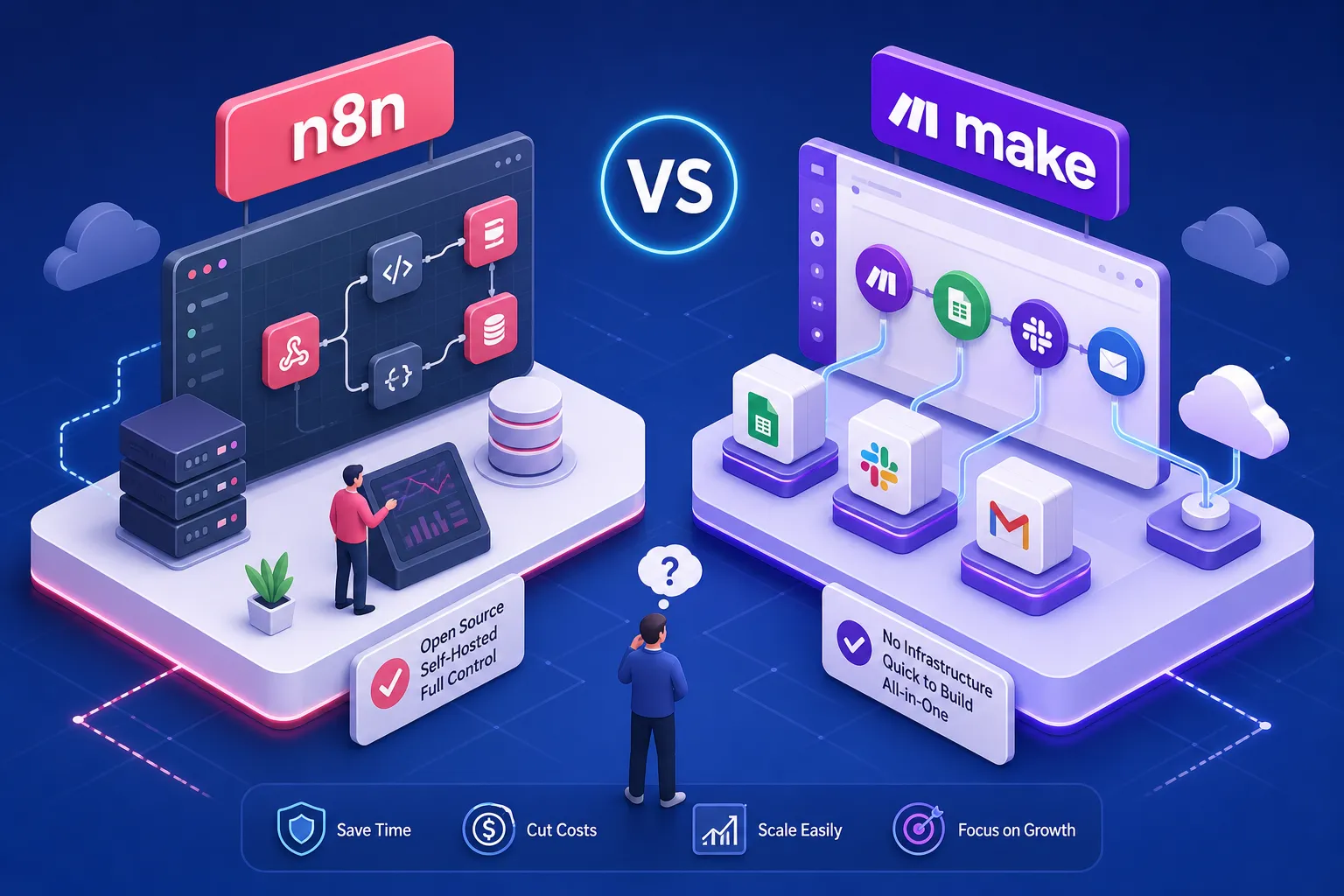
Someone tells you to "just automate it," and suddenly you have two tools in front of you: n8n and Make. Both promise to save you hours every week. Both have enthusiastic communities swearing by them. And neither has a clear label saying "this one is for you." That is where most small business owners get stuck, spending more time researching than actually automating anything.
So which is better, n8n or Make for automating a small business? Alvine Otieno, a freelance software developer based in Kisumu, put this comparison together from hands-on experience deploying both platforms for actual small business clients, not from spec sheets or YouTube demos. What follows covers real costs, honest setup expectations, integration realities, and a clear recommendation based on your specific situation.
What n8n and Make actually are before you compare them
Both tools automate workflows by connecting apps together. You set up a trigger, a new form submission, a payment received, a message sent, define what should happen next, and the tool runs the sequence automatically. That core concept is identical. The difference is in how they are built and who they are built for.
How Make works
Make, formerly known as Integromat, is a fully cloud-based, no-code automation platform. You build "scenarios" on a visual drag-and-drop canvas, connecting app modules in sequence. Everything runs on Make's servers, your data passes through their infrastructure, and you never touch a terminal or think about server management. You create an account and start building immediately.
How n8n works
n8n is an open-source workflow automation tool with a visual canvas similar to Make's. The critical difference is that you can either run it yourself on your own server (self-hosted) or pay for n8n's managed cloud product. Its "fair code" licence means the software itself costs nothing to run on your own infrastructure. The trade-off is that self-hosting requires technical setup that Make simply does not demand.
The philosophical gap between the two
Make is optimised for speed of deployment. A non-technical business owner can have a working automation live in under 20 minutes with zero infrastructure knowledge. n8n is optimised for control and cost efficiency at scale, but that control comes with setup responsibility. Neither is universally better. The right choice depends entirely on your technical comfort level, your data volume, and your budget.
The real cost of each platform in 2026
This is where most comparisons go wrong. They list the headline prices without showing you what you actually pay when your business starts running real workflows at real volumes.
Make's operation-based pricing
Make charges per operation, where one operation equals one action a module performs. The Free plan covers 1,000 operations per month permanently, which is genuinely useful for testing. The Core plan runs roughly $10.59 per month (billed annually) for 10,000 operations, Pro sits at approximately $18.82 per month, and Teams at $34.12 per month.
The number that matters most here is not the plan price. It is how many operations your workflows consume per run. A multi-step scenario can burn through hundreds of operations in a single execution, and your monthly bill scales directly with that usage.
n8n's two cost paths
Self-hosting n8n on a basic VPS costs between $4 and $10 per month for the server, with the software itself free. In Kenya, providers like Truehost offer Kenya-based servers starting at around KES 1,400 per month for a self-managed plan, which keeps your data local and latency low. One-click managed platforms like PikaPods bring the total cost down to approximately $3.80 per month with near-zero maintenance overhead.
The managed n8n Cloud starts at $24 per month for 2,500 executions and five active workflows, stepping up to $60 per month for 10,000 executions. It is worth noting that n8n Cloud uses execution-limited plans, whereas self-hosted n8n carries no per-operation or per-execution billing beyond your infrastructure costs. The fundamental difference: once you are self-hosted, you can run complex, multi-step workflows repeatedly without a rising usage bill.
Hidden costs most comparisons miss
Make's per-operation model can catch you off guard once your automations start running at scale. On the other side, self-hosted n8n carries a maintenance overhead of roughly three to four hours per month, time spent on updates, backups, and monitoring. One-click platforms like PikaPods eliminate most of this, but factor that time cost honestly before choosing self-hosted purely to save money. The cheapest option on paper is not always the cheapest option in practice.
Which is better, n8n or Make for automating a small business, when it comes to setup?
Ease of use is not just about how polished the interface looks. It includes how long it takes to go from zero to a working automation, and how much ongoing effort the platform demands from you or someone on your team.
Make's speed advantage for non-technical users
Make requires no server, no terminal, and no knowledge of Docker. You create an account, open the visual canvas, connect your apps via OAuth, and your first workflow can be live in under 20 minutes. The interface is intuitive enough that a business owner with no coding background can build and modify scenarios without outside help. For a solo operator managing a growing business, that autonomy is genuinely valuable.
What n8n's setup actually involves
Deploying n8n on a VPS for the first time takes between one and three hours if you have intermediate technical knowledge, covering server provisioning, Docker setup, DNS configuration, and SSL certificate installation. Using a one-click platform like PikaPods shortens this significantly. That said, the n8n interface still has a steeper learning curve for some users once you are inside the workflow builder, particularly around developer-focused features and node configuration, compared to Make's more guided canvas. The n8n Cloud option removes the server complexity entirely but still requires more workflow-building familiarity than Make demands.
Ongoing maintenance
Once a Make scenario is live, there is nothing to maintain on the infrastructure side. The platform handles updates, security patches, and uptime. Self-hosted n8n requires periodic software updates and monitoring. For a business owner running solo or with a small team and no dedicated technical person, Make's fully managed model is a genuine structural advantage, not just a convenience feature.
Integrations: what connects, and what you build manually
Both platforms support hundreds of popular apps, but the picture is not identical. This matters especially if your business relies on local tools alongside global SaaS products.
Make offers over 3,000 native app connectors, covering Google Workspace, Airtable, Shopify, Xero, Slack, and most of the major tools a small business uses daily. n8n's native node library covers approximately 400 integrations, which includes all the essential apps, Google Workspace, Shopify, Airtable, Xero, and the major communication and CRM platforms. For standard global tools, both platforms give you what you need without custom configuration. When comparing Make.com vs n8n for integration breadth, Make has the wider catalogue; for the tools most Kenyan small businesses actually rely on, n8n's library is more than sufficient.
For Kenyan businesses that rely on M-Pesa, the situation is the same on both platforms: neither Make nor n8n has a native M-Pesa connector out of the box. Both support direct API connections via their HTTP modules, which means you connect to Safaricom's Daraja API using standard REST integration. It works reliably on both platforms.
Proper API configuration, including OAuth token generation, callback URL setup, and rate-limit handling, is required on either side. If you need M-Pesa wired into your automation stack without the trial-and-error phase, working with a developer who has done this before saves you significant time.
Matching the right tool to your business profile
Based on real deployments and the cost and usability data above, here is how to match the tool to your actual situation rather than the marketing copy of either platform.
Choose Make if your profile looks like this
Make is the right choice when you are non-technical, need workflows running within the same day, and your monthly operation count stays manageable. It is also the better fit if you want to build and edit workflows yourself without calling a developer every time something changes. The per-operation cost is reasonable at low to medium volume, and the zero-maintenance model is worth the price premium for many business owners who value their time over their server costs.
Choose n8n if your profile looks like this
n8n becomes the stronger option when your automation volume is high, you need full control over where your customer data sits, or you are building complex multi-step workflows that would generate significant Make operation costs at scale. Businesses running n8n on self-hosted infrastructure can achieve substantial cost savings compared to managed cloud alternatives, with VPS costs as low as $4 per month versus Make's paid plans starting at $10.59 per month, the difference compounds quickly at high workflow volumes. Clients Alvine has worked with have reported saving 15 to 27 hours per week after switching to automated workflows, with the ROI most pronounced for teams processing high transaction or data volumes. You need either a developer or a managed platform like PikaPods to make the initial setup straightforward.
When to consider a hybrid approach
Some businesses run Make for quick, lightweight automations and n8n for heavy-volume or data-sensitive workflows. This is a legitimate strategy, but it adds management overhead and doubles the number of platforms you need to understand. For most small businesses, picking one platform and going deep is more practical than splitting attention across two.
How to move forward without overthinking it
You now have enough information to make a solid decision. The next step is implementation, not more research.
Start with Make's free plan (1,000 operations per month, permanent) to test your most pressing workflow. For n8n, PikaPods offers a low-cost one-click deployment that gets you a live environment for under $5 per month with minimal setup friction. Build one workflow on the platform you have chosen before committing to a paid plan. One working automation teaches you more than ten hours of comparison reading.
If you are still weighing up which is better, n8n or Make for automating your specific small business, or you need M-Pesa, WhatsApp, or OpenAI wired into the mix, Alvine Otieno offers a free consultation to help you map your processes, estimate your actual operation counts, and set up the right tool for your situation. Having deployed both n8n and Make for real small business clients, Alvine can compress the configuration and testing phase that typically takes weeks into a focused conversation followed by a clean build.
The best automation tool is the one you actually get running. Pick the platform that matches your technical confidence and your budget, automate one workflow this week, and scale from there.
Software engineer writing about the craft of building products on the web.