Next.js vs WordPress: The Business Owner's Decision Guide
Struggling to choose between Next.js and WordPress for your business website? This guide helps business owners make an informed decision based on their specific needs, avoiding technical jargon and vendor bias. Discover which platform align
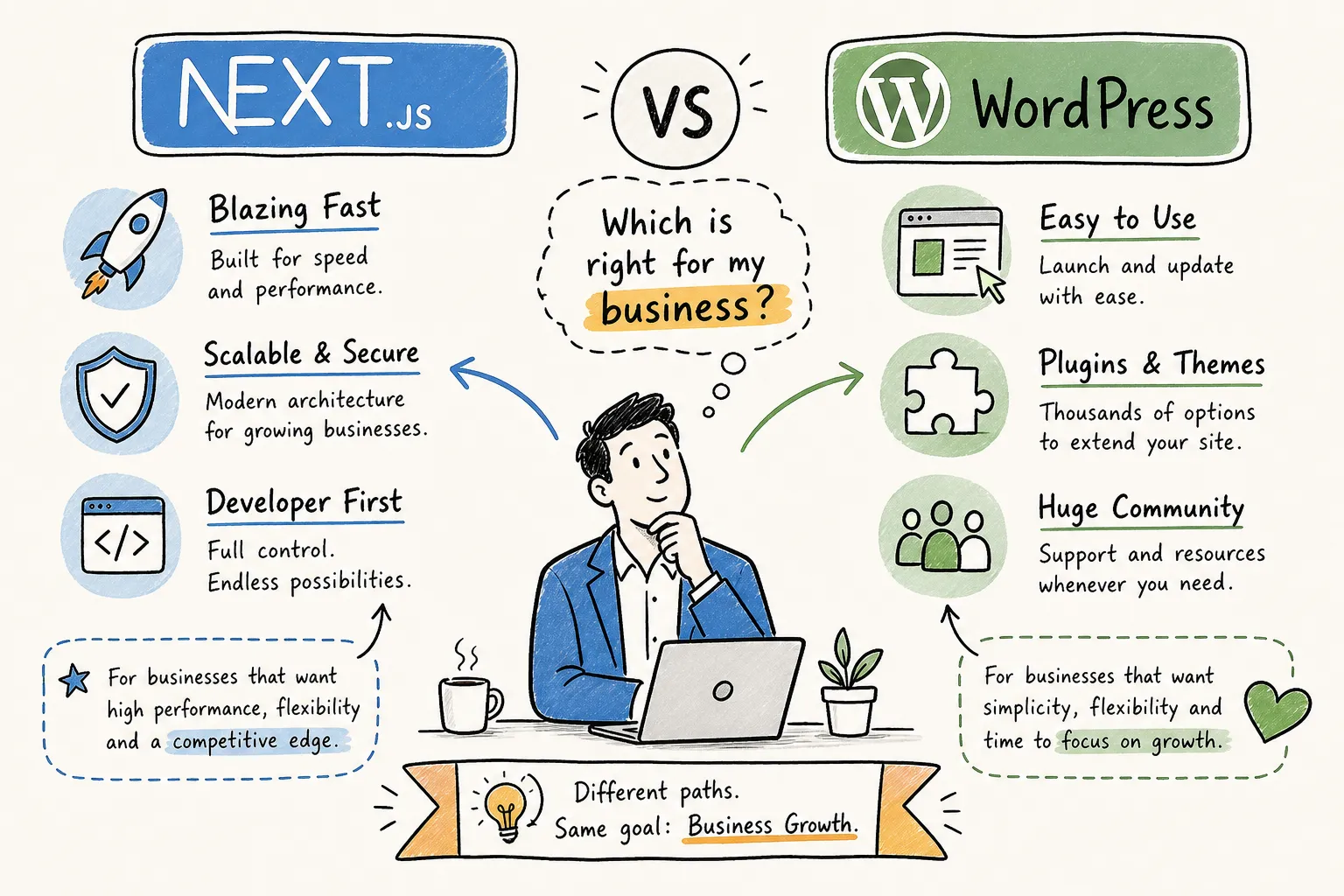
When should you use Next.js instead of WordPress for your business site? That is the question this guide answers directly, no technical debates, no vendor bias. You had a plan: build on WordPress, get it live, move on. Then someone in a meeting or a WhatsApp group mentioned Next.js, and suddenly you are questioning everything. Is WordPress good enough? Are you about to build on the wrong foundation? Should you be paying more for something better?
This article is a practical filter for business owners who need to make a real decision with real money. Both WordPress and Next.js are genuinely capable platforms. The question is which one fits your specific situation, and getting that wrong creates expensive problems six months down the line.
Everything here draws from first-hand build decisions. At Alvine Otieno, we have shipped production sites on both platforms for real businesses, ranging from content-driven service sites to API-integrated web applications. By the end of this article, you will have a clear answer for your context, not a list of maybes.
The core difference that shapes every other decision
WordPress was built so that non-developers could publish content to a website without touching code. It is, at its core, a publishing tool with a very mature ecosystem of themes and plugins built on top of it. Next.js is a different animal entirely, it is a React development framework that gives developers full control over performance, functionality, and architecture, but it requires a developer to build everything from scratch.
Neither is better in the abstract. They are solving fundamentally different problems. This distinction matters more than any feature comparison, because it determines whether a platform is working with your business or against it.
If your website is primarily a vehicle for publishing content, blog posts, service pages, or landing pages, you are in WordPress territory. If your website is a functional system that interacts with APIs, processes data, or needs consistent sub-2s load times to protect conversions, you are in Next.js territory. Choosing the wrong one does not just create inconvenience; it creates technical debt that costs real money to unwind.
When should you use Next.js instead of WordPress for your business site?
The honest answer is: it depends on what your site needs to do. Below are the scenarios where Next.js is clearly the stronger choice, and where sticking with WordPress on a business site would cost you more in the long run.
Your site needs custom integrations or real-time data
Consider a Kenyan SACCO that needs live M-Pesa transaction data surfaced on the website, or a logistics company integrating a CRM to display order statuses for clients. WordPress was not designed for API-first architectures. Building those integrations on WordPress means fighting the platform constantly, with workarounds that become fragile over time. Next.js handles API routes natively, which makes complex integrations clean, maintainable, and easier to extend later. If you are running a Jamstack business website or need server-side rendering to pull live data, Next.js is the right foundation.
Performance gaps that directly affect your revenue
The numbers here are stark. In 2026, the average mobile Lighthouse performance score for a small business WordPress site sits between 38 and 48, firmly in the "poor" category. Next.js sites consistently score between 90 and 98 on the same benchmark. TTFB, the time before your page even starts loading, is 3 to 10 times faster on Next.js deployed to an edge CDN compared to standard WordPress hosting.
For e-commerce, the link between load speed and revenue is well established. Google and Deloitte's mobile speed research found that a one-second improvement in mobile load time can increase conversions by up to 27% for retail sites. If your site's performance is directly tied to sales, enquiries, or client trust, that 50-point gap in Lighthouse scores translates into a measurable business outcome.
Security-sensitive businesses and high-traffic environments
Globally, 97% of WordPress vulnerabilities originate from plugins, not the core software. Plugins like LiteSpeed Cache, WPvivid Backup, and GiveWP have all had critical exploits in recent years, some with CVSS severity scores above 9.0, meaning full remote takeover with zero authentication required. For financial services, healthcare platforms, or any site handling sensitive customer data, Next.js removes this attack surface entirely: no plugin layer, no exposed admin login page, no public-facing database. The site becomes a significantly harder target by default, not through additional security subscriptions.
When WordPress is still the right call for your business site
Your team publishes content every day without developer help
If your marketing team needs to update pages, write blog posts, add promotions, or rearrange landing page sections without filing a developer request, WordPress wins this comparison clearly. The Gutenberg block editor gives non-technical people direct, visual control over layout and content. They log in, build the page with blocks, and publish. No developer involvement, no waiting.
For businesses where content volume and publishing frequency are high, this is a genuine operational advantage that a Next.js setup cannot easily replicate without significant custom work.
Budget is tight and your timeline is short
A standard WordPress site built with themes and plugins typically costs between KSh 15,000 and KSh 90,000 for a basic setup. A custom Next.js build in Kenya starts at KSh 150,000 for a minimal site and runs KSh 250,000 to KSh 500,000 for a standard business site with a CMS. That gap is real.
For a new business that needs a functional, professional site launched in two weeks, WordPress is the pragmatic choice. Speed to market and lower initial spend are legitimate advantages, particularly at the early stage when you are still validating your market and do not yet know what the site needs to do.
The true cost of ownership over three years
WordPress's lower upfront cost is real but often misunderstood. The full picture changes significantly once you account for what happens after launch.
WordPress requires constant maintenance. That includes plugin licence renewals running KSh 20,000 to KSh 80,000 per year, security monitoring services, and developer time for update conflicts, plugin updates cause compatibility breaks on roughly 15 to 20% of updates. Adding all of that up, annual WordPress maintenance costs typically run between KSh 150,000 and KSh 500,000 per year for a business site with a reasonable plugin stack.
Next.js has near-zero maintenance once deployed. There are no plugins to update, no theme conflicts, no monthly security subscriptions. Hosting on Vercel's free or low-cost plan handles the infrastructure. The only ongoing cost is developer time for feature additions, which you choose when you need them. Based on build comparisons across client projects at Alvine Otieno, the break-even point between a WordPress and Next.js site typically falls between 12 and 18 months, after which Next.js is cheaper to own. Over three years, a standard 15-page corporate site built on Next.js typically costs less in total than the WordPress equivalent when maintenance is factored in honestly.
One important note for Kenyan businesses: if you host WordPress on a Johannesburg-based managed server, such as Kinsta's South African node, your TTFB for Kenyan users can be as low as 80 to 160 milliseconds, which is competitive with Vercel's default configuration. For Next.js to match that performance for East African users, you need to pair it with Cloudflare's CDN configured to cache at African edge locations. It is achievable, but it is an additional configuration step that should be factored into the project scope.
What your content editors will experience day to day
In a traditional WordPress setup, editors log into a single dashboard, build pages using blocks, and see changes reflected on the live site after clicking publish. The workflow is contained in one interface. Onboarding a new team member takes an afternoon, not a week. For businesses where multiple people are adding and updating content regularly, this familiarity keeps the content pipeline moving without developer involvement.
In a Next.js setup, editors work inside a dedicated CMS such as Sanity, Storyblok, or Prismic, where they fill in structured content fields. They do not control layout at all, that is entirely handled by the developer-built templates. The significant upside is that the same content can simultaneously feed a website, a mobile app, and a WhatsApp bot without duplication. If you are building a WhatsApp-first business where the same product information or FAQ content needs to appear across multiple channels, a headless CMS connected to Next.js makes that architecture clean and maintainable. The downside is that editors lose direct layout control and require clearer content briefs to work effectively.
Making the final call: should you use Next.js instead of WordPress for your Kenyan business site?
Four questions will give you a clear answer.
- Will your team publish content regularly without developer help? If yes, WordPress is the safer operational choice.
- Does your site need to integrate with external APIs, payment systems like M-Pesa Daraja or Flutterwave, or other business tools? If yes, Next.js handles this cleanly, without forcing you into plugin workarounds that break on the next update.
- Is site performance directly tied to conversions or customer trust, as it would be for an e-commerce platform or a financial services site? If yes, the 50-point Lighthouse gap matters and Next.js earns its higher build cost.
- What is your realistic budget for both the build and the next two years of maintenance? If total cost of ownership matters more than day-one spend, Next.js often wins by year two.
There is also a hybrid option worth knowing about. You can use WordPress purely as a headless CMS, keeping the familiar editorial interface your team already knows, while a Next.js frontend handles all the rendering and performance. This approach gives you content flexibility without sacrificing load speed or integration capability. It is more complex to set up and costs more initially, but for businesses that genuinely need both, it is a well-established and production-ready architecture.
This is exactly the kind of decision that Alvine Otieno helps businesses work through before a single line of code is written. The platform recommendation always comes from what your business actually needs, not from a preference for one technology over another. Getting it right from day one costs far less than migrating later. If you want a straightforward platform consultation before committing your budget, reach out through the contact page and we can work through your specific situation together.
The decision in plain terms
The best platform is the one that matches how your team works, how complex your integrations are, and what your realistic three-year budget looks like, not which platform wins a technical benchmark in isolation. WordPress powers excellent business sites every day. So does Next.js. The difference is context.
Use WordPress when your priority is content publishing, editorial speed, and low upfront spend. Use Next.js when your priority is performance, security, API integrations, or a site that needs to scale without accumulating maintenance debt. And if you are genuinely unsure which side of that line your Kenyan business sits on, that conversation is worth having before you commit your budget.
Alvine Otieno works with small and medium businesses in Kenya and the US market to build web platforms chosen and built for the right reasons, whether that is a WordPress site that performs reliably, a custom Next.js build with M-Pesa integration, or a headless hybrid that gives your editors flexibility without sacrificing speed. The starting point is always the same: understanding your business first. Get in touch and let us figure out the right path together.
Software engineer writing about the craft of building products on the web.