Prompt-driven development: a practical guide for 2026
Explore prompt-driven development (PDD), a methodology where natural language prompts guide AI to generate and iterate on application logic. Learn about structured PDD, iterative prompting, and critical context-setting to build reliable sof
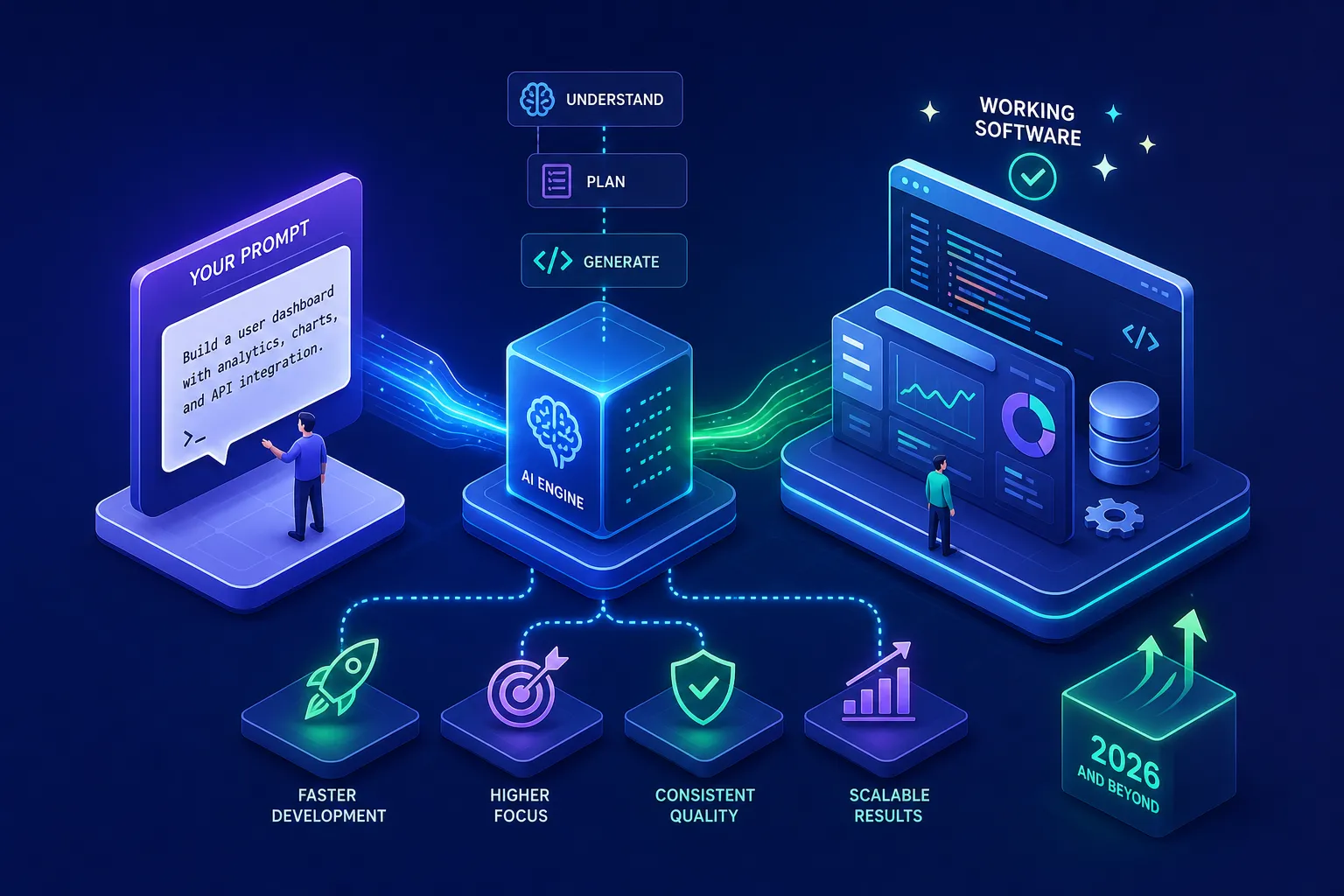
Something fundamental has shifted in how software gets built. Developers are no longer writing every line from scratch; they describe what they want, review what the AI produces, and ship. Many developers have stumbled into a productive habit without realising it has a name, a structure, and a set of disciplines that separate reliable results from chaos. That methodology is prompt driven development, and it is worth understanding properly.
There are growing production examples of this approach in action. A WhatsApp bot built and maintained by Alvine Otieno, a Kisumu-based developer, has processed over 50,000 events across live business operations using exactly this methodology: Meta WhatsApp Cloud API, OpenAI, n8n, and a disciplined system of structured prompts reviewed line by line before anything ships. This article is a practical walkthrough of what prompt-driven development looks like in practice.
What prompt-driven development actually is
Prompt-driven development (PDD) is a methodology where natural language prompts are treated as the primary development artefact. Instead of writing code line by line, developers craft prompts that guide AI models to generate, test, and iterate on application logic. The prompt becomes the specification, and the AI produces the code.
Most developers already do a version of this when they ask an AI assistant for a function or a fix. The question is whether those prompts are throwaway chat inputs or structured, reusable assets that live in the project and drive reproducible outputs. That distinction is the entire difference between ad-hoc prompting and structured prompt-driven development (SPDD).
The gap between ad-hoc prompting and structured PDD
Ad-hoc prompting is reactive. You ask, you get code, you patch it manually, and the prompt disappears forever. The next time you need something similar, you start from scratch and get a different result. Structured PDD treats every prompt like a specification: it lives in the repository, carries metadata about its intent and known edge cases, and can be used to regenerate the code reliably whenever it needs to change.
The practical difference is reproducibility. Ad-hoc prompting accumulates a pattern sometimes described as intent-to-implementation deviation, where what the developer meant and what the code actually does drift apart over time with no record of how it happened. Structured PDD keeps intent and implementation aligned because the prompt is the source of truth, not the generated code itself.
Why prompts need to be first-class artefacts
A first-class artefact means a prompt lives in version control alongside the code it generates, carries metadata covering its intent, target model, and known limitations, and can be reviewed, modified, and rolled back just like any other file. This is not bureaucracy; it is the same discipline applied to code for decades, now applied to the instructions that produce code.
Developers who treat prompts this way get consistent outputs. Those who treat them as disposable get lucky sometimes and confused the rest of the time. The methodology only adds value when the prompts themselves are managed with the same rigour as the software they generate.
The core techniques that make PDD work in real projects
Two techniques determine output quality more than anything else in day-to-day LLM-assisted development: iterative prompting and deliberate context-setting. Getting these right is the difference between code that needs heavy manual repair and code that is close to production-ready from the first review.
Iterative prompting: building in small, reviewable loops
Iterative prompting works by starting narrow: write a specific, constrained prompt, review the output, identify what is wrong, refine the prompt, and run it again. Each cycle tightens the result. The loop is the discipline, and good PDD practitioners treat each iteration as a learning step, updating the prompt rather than manually patching the generated code.
The failure pattern to avoid is writing one enormous prompt covering an entire feature and hoping the output is usable. It rarely is. Small, focused prompts with explicit constraints produce outputs that are easier to review and easier to fix when something is off. Teams that adopt this loop consistently, treating AI as a collaborative cycle rather than a one-shot code generator, report significant reductions in prototype time and debugging overhead compared with ad-hoc approaches.
Context-setting before you write a single prompt
Context is the single biggest lever in AI-assisted development. A prompt that says "build a webhook handler" produces mediocre, generic code. A prompt that specifies the framework, the expected payload structure, error handling requirements, authentication approach, and output format produces something far closer to production-ready. The difference is entirely in the context declared upfront.
Before generating any code, a well-structured prompt declares the tech stack, coding standards, constraints, and the specific behaviour expected. This upfront investment saves significant rework downstream. Treating context-setting as optional is how teams end up with AI-generated code that technically runs but makes no sense within the actual project.
Code review discipline: the check you cannot skip
Prompt-driven development does not mean trusting AI output uncritically. This point deserves emphasis because the temptation to ship whatever the AI produces is real, especially when the code looks plausible. Looking plausible and being correct are not the same thing. The methodology only works when every line of generated code is reviewed by a human before it enters the codebase.
This is what separates PDD from vibe coding. A vibe coder accepts and ships output with minimal scrutiny, useful for throwaway prototypes but unsuitable for production. A PDD practitioner pauses at the review step, reads every generated line against the declared intent of the prompt, and only merges what has been verified. That review step is the boundary between the two approaches.
Why human review is non-negotiable in AI-assisted builds
AI models generate plausible-looking code that can contain insecure patterns, hardcoded secrets, hallucinated dependencies, or logic flaws that only surface under real production conditions. Research from Veracode found that AI-generated code produced cross-site scripting vulnerabilities in 86% of relevant cases and log injection flaws in 88%, a sobering finding for any team tempted to skip the review step. The AI generates; the developer reviews. That division of responsibility is what keeps prompt-driven projects reliable.
What to look for when reviewing AI-generated code
A practical review lens covers several categories. Check for missing input validation, insecure defaults such as raw string SQL queries or weak cryptographic choices, third-party packages that do not actually exist (a real hallucination risk), and business logic that bypasses critical security checks. Static analysis tools and linters catch some of this automatically, but architectural and logic errors require a developer who understands the full context of the project.
For high-risk areas, including authentication, payment processing, and anything touching user data, mandatory human review is the rule, not the exception. Automated scanning is a first pass, not a substitute for judgement.
Treating prompts like code: versioning and testing
Once prompts are recognised as artefacts, they need the same infrastructure applied to application code: storage, version control, and testing. This is the part of PDD that most developers skip initially and regret later.
Storing and versioning your prompts alongside the codebase
Prompts belong in the same Git repository as the project, organised in a clear directory structure with semantic versioning: v1.0.0, v1.1.0, and so on. Each prompt version should be immutable after deployment. Once a version ships, it does not get edited in place; changes become a new version. Attach a short metadata comment to each prompt file covering its intent, the model it targets, and any known edge cases or limitations.
For teams that need a dedicated prompt registry with Git-style branching and rollback, tools like Langfuse (open-source and self-hostable) and PromptHub offer purpose-built infrastructure for managing prompt engineering workflows at scale. For most projects starting out, a well-organised /prompts directory in the existing repository is sufficient. The habit matters more than the tooling at the beginning.
Testing prompts before they reach production
Prompts can and should be tested systematically. Run a representative set of inputs, typically 10 to 20, through old and new prompt versions side by side to surface regressions before they reach users. Include deterministic checks, such as verifying the output conforms to the expected format, alongside semantic checks that confirm the output does what it was supposed to do.
Teams using CI pipelines can wire these evaluation checks as gates that block a merge if quality drops below a defined threshold. Promptfoo is a strong open-source CLI option for this. The goal is catching prompt regressions at the same point code regressions get caught: before anything reaches production.
Why this methodology is reshaping software delivery
Traditional development cycles are slow because writing, reviewing, and debugging code from scratch is time-intensive at every step. PDD compresses the generation step dramatically while shifting developer effort toward higher-value activities: prompt design, output review, and architectural decisions. Teams adopting this approach consistently ship working software faster, provided the review and versioning disciplines are in place.
The WhatsApp bot referenced earlier, built entirely through this methodology using Meta WhatsApp Cloud API, OpenAI, and n8n, illustrates what disciplined prompt driven development looks like at operational scale. Alvine Otieno built and maintains it as one of five production tools in active daily use, and it has processed over 50,000 events in live business operations. That figure represents real production traffic. When prompt-driven development is practised with proper review discipline and prompt versioning, it produces software built to handle sustained, real-world load.
Setting up your first prompt-driven workflow
A reader finishing this article should know exactly what to do next. The answer is not to rebuild your entire workflow at once. Start with a single, well-defined feature. Write a prompt that fully describes the requirements, constraints, and expected output, then review the generated code carefully before storing the prompt in a dedicated folder in the repository. Iterate once or twice and note what changed between versions. That one cycle teaches more about PDD than any amount of theory.
The minimal infrastructure needed to begin is straightforward:
- A /prompts directory in the project repository with named, versioned prompt files
- A metadata comment in each prompt file describing its intent, target model, and known limitations
- A lightweight testing step: run 10, 20 representative inputs through the prompt and verify outputs before shipping
- A code review rule: no AI-generated code merges without a human reading every line
- A rollback plan: keep the previous prompt version available if a change degrades output quality
This checklist is intentionally minimal. The goal is to make starting frictionless rather than overwhelming developers with tooling before they have experienced the workflow firsthand. Add tooling as the team's needs grow, not before.
The discipline is the differentiator
Prompt-driven development is not about replacing developer skill. It is about redirecting it. Instead of writing syntax, skilled developers write precise prompts, review outputs critically, and version their work properly. The result is faster delivery, more reproducible code, and a workflow that scales without proportionally scaling effort.
Prompts without versioning, testing, and human review produce unreliable software. Prompts treated as structured artefacts, reviewed line by line and stored alongside the codebase, produce software that handles sustained production load and keeps running. That outcome is not the result of the tooling; it is the result of the discipline.
Start with the checklist from the section above. Pick one feature in your current project and apply it there. That is the fastest way to understand what structured prompt driven development actually feels like in practice, and why the workflow tends to stick once teams see it running in a production context.
Software engineer writing about the craft of building products on the web.