Vibe coding guide: from your first prompt to live app
Learn the structured workflow of vibe coding to build and deploy applications faster with AI. This guide covers everything from defining problems and writing effective prompts to testing and selecting the right tools, helping you accelerate
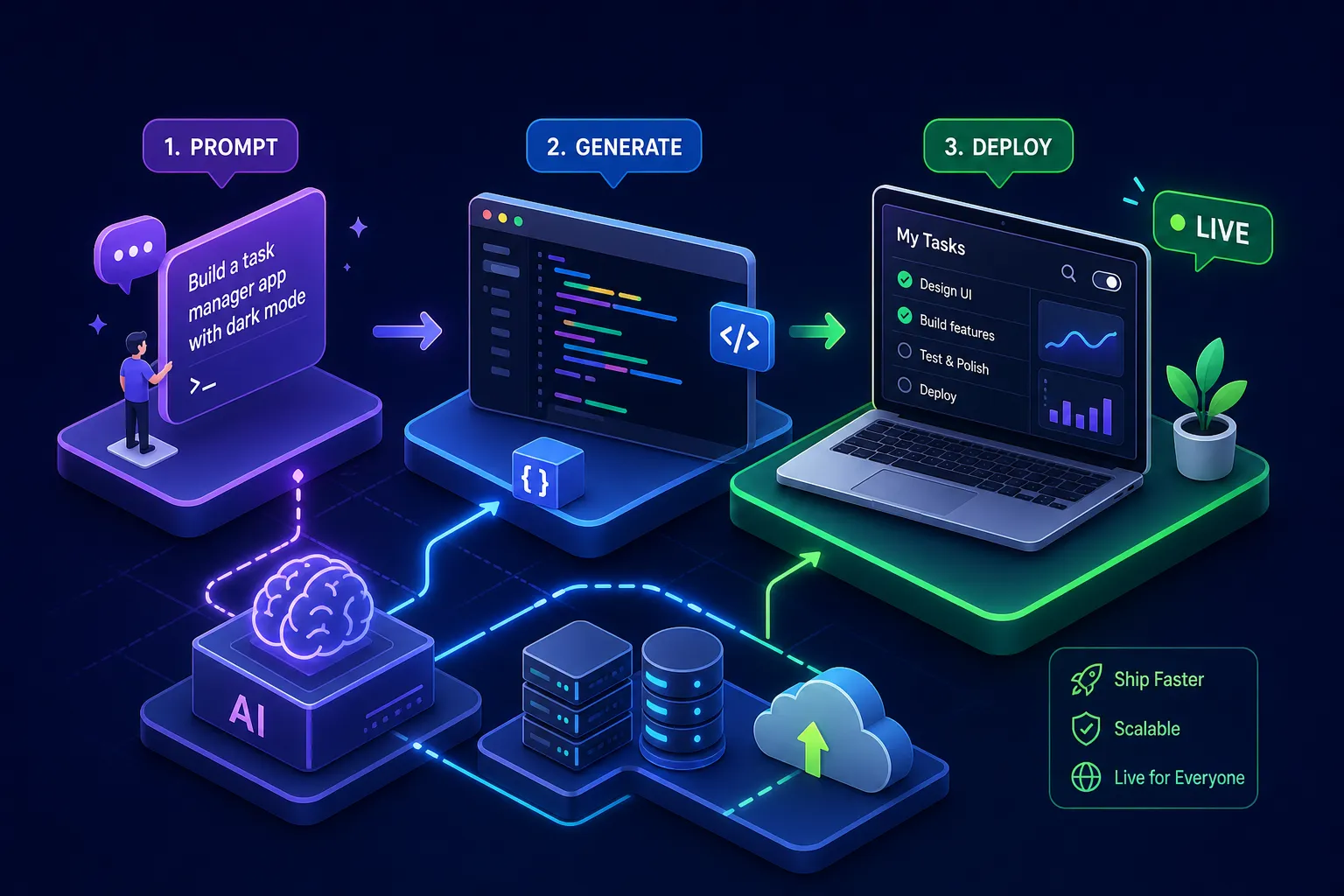
This vibe coding guide walks you through a structured workflow where you describe a problem clearly, use an AI assistant to generate code, and then review, test, and correct that output before moving forward. Vibe coding is not magic, and it is not a shortcut. The word "vibe" refers to the conversational, intuitive way you communicate intent to the model, not a casual attitude toward what gets deployed. AI-assisted development can substantially accelerate how fast you ship; research on vertical-slice approaches shows roughly 40% reductions in development cycle time, with further gains when AI handles repetitive cross-layer work.
Alvine Otieno, a developer based in Kisumu, has used this exact workflow to ship five live products, including a WhatsApp bot that has processed over 50,000 events. The tools are accessible, the process is repeatable, and you do not need a computer science degree to get started. What you do need is a clear mental model, the right tools for your skill level, and the discipline to verify every output before you ship it.
By the end of this article, you will understand the full workflow from first idea to deployed product, know which tools to use based on where you are right now, write prompts that produce reliable code, and catch the failure modes that trip up most beginners.
What vibe coding actually is (and why people misunderstand it)
The most common misconception about AI-assisted programming is that your only job is to type a prompt and accept whatever comes back. That is not vibe coding. That is prompt spam, and it produces broken products, security holes, and technical debt that compounds quickly. Vibe coding is an iterative process where you describe a problem, receive generated code, verify it against your requirements, fix what is wrong, and then move to the next step.
The mental model that makes this work is simple: you are the architect, and the AI is your pair programmer. Your job is to define the problem precisely, guide the build in small steps, and verify every output. Developers who hold this mindset consistently ship reliable software. Those who skip the review step are the ones who end up with apps that appear to work but are silently broken underneath.
Prompt-driven development works because LLM code generation is genuinely good at translating well-described requirements into functional code. The quality of that translation scales directly with the clarity of your input. Vague prompts produce vague code. Specific, structured prompts, the kind this vibe coding guide focuses on, produce code you can actually use.
The complete vibe coding workflow: from idea to deployed product
Define the problem before opening any tool
The biggest mistake beginners make is jumping into a prompt before they have a clear picture of what they are building. Before you write a single line of prompt text, write a short requirements document. It does not need to be long. A paragraph or two covering what the product does, who uses it, what it must do in this first version, and what is explicitly out of scope is enough for a simple project. The clearer your problem definition, the better the AI's output will be on the first attempt.
This step also forces you to make decisions you would otherwise leave vague. What happens when a user submits an empty form? What does the success state look like? Where does the data go? Answering these questions before prompting prevents a common frustration: the AI builds something technically correct that does not actually match what you had in your head.
Build one slice at a time, not the whole product at once
A vertical slice is one complete user path from the interface through to the data layer, tested end to end before you move on. Prompt the AI to build one feature, verify it works, commit it, and then move to the next. This approach beats trying to generate the full application in one massive prompt for three reasons: you catch errors early, the AI stays focused on a contained scope, and you always have a working build to return to if something goes wrong.
Vertical slicing reduces development cycle time by roughly 40% even in traditional development settings, with gains amplified when AI handles the repetitive cross-layer work. For a first-time builder, it also makes the process feel manageable rather than overwhelming.
Verify, test, and commit before moving on
Verification is not optional. Run the code, check the output against your requirements, paste error messages back into the AI to fix specific issues, and either write basic tests yourself or ask the AI to write them before proceeding. The speed advantage of AI-assisted development comes from fast, confident iteration, not from skipping this step. Skipping it means compounding errors across features until the whole thing collapses.
The right tooling makes this workflow easier to sustain consistently, which is where your choice of platform becomes important.
Picking the right tools for where you are right now
Tools for beginners with no code background
Lovable, Bolt.new, and Replit Agent are among the most beginner-friendly citizen developer tools available in 2026. These platforms handle hosting, deployment, and environment setup automatically, so you can focus entirely on describing what you want to build. They are optimised for prototypes, MVPs, and simple web apps where the primary goal is shipping something working as quickly as possible. For basic workflows, none of them generally require you to install local software or manually configure a server, though some advanced integrations may involve additional account setup.
Lovable is the strongest starting point if you want a polished, full-stack application from a plain-text description. Replit Agent is the better choice if you want to understand the process while building, since it surfaces more of what is happening under the hood. Bolt.new sits between the two and is particularly fast for web and mobile app prototypes.
Tools for developers who want AI to accelerate their existing workflow
Cursor and Claude Code are the preferred options for developers who already know a tech stack and want AI assistance integrated into real projects. Cursor's deep repository awareness and multi-file editing make it well-suited for production work. Claude Code excels at planning and handling complex, multi-file changes autonomously, particularly when you need the AI to understand how different parts of a codebase relate to each other.
These tools require more setup and a basic understanding of your development environment, but they return considerably more control. For the kind of work Alvine Otieno does, building WhatsApp bots with Meta WhatsApp Cloud API, wiring up n8n automations, and developing full-stack platforms on Next.js, Cursor-style tooling integrated into a real workflow is the right fit.
Vibe coding guide: writing prompts that get you reliable, usable code
The six elements every strong prompt needs
Strong prompts share a consistent structure. Good prompt engineering for code means being explicit about context, constraints, and edge cases from the start. Include all six of these elements and your output quality will improve immediately:
- Identity: what you are building ("a WhatsApp bot for event registration")
- Audience: who uses it and what they need ("event attendees on mobile with limited data")
- Vibe: the feel and style ("conversational, minimal, fast responses")
- Context: your tech stack, existing files, and constraints ("Node.js, n8n, Meta WhatsApp Cloud API")
- Must-have features: specific, named functionality ("send a confirmation message with registration number after sign-up")
- Edge cases: errors, empty states, and invalid inputs ("handle duplicate registrations without crashing")
Specificity is one of the most important factors in getting reliable output. "Build a WhatsApp bot" produces generic, barely functional code. "Build a WhatsApp bot using Meta WhatsApp Cloud API and Node.js that collects a user's name, email, and ticket type, saves to a PostgreSQL database, and replies with a registration number" produces something you can actually deploy.
How to iterate when the first output misses the mark
The first attempt rarely gets everything right. That is expected, and it is not a reason to start over. The correct response is a targeted follow-up prompt that addresses one specific issue at a time. Paste the exact error message, describe what is wrong in one sentence, and ask the AI to fix only that issue. Full re-prompts muddy the context and often introduce new problems while fixing old ones.
Know when to open a fresh context window. If the AI keeps reverting changes you have already approved, duplicating logic that already exists, or contradicting its own earlier output, the current conversation has become too muddled to recover. Start fresh, summarise the decisions already made, and continue from there.
Common pitfalls and how to catch them before they hurt
Hallucinations, doom loops, and silent failures
A few failure modes catch beginners off guard consistently.
Hallucinations occur when the AI references a library, method, or API that does not exist. Diagnose this by running your dependency list against the official package registry and checking for "import not found" errors in your linter. Fix it by manually verifying every external dependency before you commit anything.
The doom loop is when the AI keeps undoing its own changes, duplicating logic, or making no meaningful progress across multiple attempts. When you see this pattern, do not keep prompting the same conversation. Delete the problematic code, open a fresh context window, break the task into a smaller scope, and start again.
Silent failure is the most dangerous: the app appears to work but nothing is actually being saved, sent, or processed. Always check database logs and API response bodies directly rather than trusting what the UI shows you.
Security gaps you must check before going live
AI-generated code produces predictable security problems because the model does not understand your security requirements unless you state them explicitly. According to a 2024 Stanford research report on AI-generated code, approximately 45% of such code fails standard security tests. The most common issues are hardcoded secrets, missing input validation, public storage buckets, and skipped authentication checks. These are not rare edge cases; they are default outputs.
Four checks before every deployment will catch most of these issues. First, scan your codebase for any hardcoded API keys, passwords, or tokens and move them to environment variables. Second, test every protected route with an unauthenticated request to confirm your access controls are actually enforced. Third, run a dependency audit using your package manager's built-in tool to flag outdated or hallucinated packages before they become a supply chain problem. Fourth, review any file upload or storage logic to confirm that buckets or directories are not publicly accessible by default.
Start small, ship something real
This vibe coding guide works when you treat it as a disciplined workflow, not a magic shortcut. The process is real and repeatable, and developers globally are using it right now to build and ship live products at pace. The key principles are the same regardless of what you are building: define the problem clearly before touching any tool, build in small vertical slices, verify every output before moving on, and choose tools that match your current skill level rather than the most impressive-sounding option.
If you want to see what this looks like at a production level, Alvine Otieno's work building WhatsApp bots, n8n automation systems, M-Pesa integrations, and Next.js web platforms using this exact workflow offers a practical reference point for what is achievable. These are real products with real users and real event volumes, all built with the same conversational coding workflow this article describes.
The best next step is not to read more about it. Pick one small project idea, write your first requirements paragraph, choose a tool from the beginner list, and send your first prompt today. Everything else is learned by building.
Software engineer writing about the craft of building products on the web.